6 Things Odoo 19.3 Now Does Instead of Your Team

A manager opens a PDF from a supplier, reads it, and manually transfers the data into the system. An accountant copies payment details from an invoice into the banking portal. A warehouse worker waits for the internet to come back just to log a record. An HR specialist manually calculates what gross salary to offer a candidate so they take home the amount they asked for.

These aren’t hypothetical situations. This is what we see in companies running Odoo – every day, every week, for years. And this is exactly what Odoo 19.3 can now do without human involvement. The only question is whether your system is up to date.

Odoo 19.3 is a minor ERP release from May 2026 that introduces AI agents, offline mobile mode, and six e-commerce conversion tools across 35+ updated modules. We implement Odoo for businesses and run every release through one simple question: what will actually change how our clients work? This one had a concrete answer. According to the official Odoo 19.3 release notes, this is the most module-dense minor release of the 19.x line so far.

What Changed in Odoo 19.3 – The Key Ideas

Before breaking down each feature individually, here’s the essence in six points:

  • An AI agent reads a supplier PDF and creates records in Odoo on its own – no manager needed.
  • Offline mode lets warehouses and production floors work without the internet; data syncing automatically when the connection returns.
  • E-commerce gained six built-in conversion tools that previously required third-party plugins or custom development.
  • Accounting now lets you pay invoices directly from Odoo – without switching to your banking portal.
  • HR automatically calculates the gross salary from a desired net amount – no Excel, no calculator.
  • The production kanban board shows the status of every order from a single screen – without opening each record individually.

If even one of these sounds familiar – keep reading.

Manual Data Entry in Odoo – and What It Actually Costs Your Business

Imagine this: a supplier sends a price list as a PDF. Previously, a manager would open it, read through it, and manually enter each line into Odoo. Fifty items means an hour of work. Five suppliers like that means half a workday – every week – for one person.

In Odoo 19.3, AI agents change this picture fundamentally. The manager uploads the PDF directly into the system, and the agent reads the document, recognizes its structure, and creates the records in Odoo without any human involvement. The same applies to updating existing records: changing a delivery date, updating a contact, adjusting a price – all of this can now be done by typing or speaking a command to the agent in chat.

For business, this isn’t about technology for technology’s sake. The person who used to spend two hours on manual data entry can now spend those two hours on clients.

Odoo Offline Mode 2026: Warehouse and Production Work Without Internet

A familiar situation: the internet goes down at a warehouse or production site – and work effectively stops. The warehouse worker can’t log a record. The field employee can’t update a status. Data piles up on paper and gets entered manually after the fact.

In Odoo 19.3, the mobile app received a fully functional offline mode. Records can be created, edited, archived, and deleted without a network connection. As soon as the internet comes back – everything syncs automatically. No manual transfers, no discrepancies between paper and the system.

Odoo E-Commerce 19.3: Six Built-In Tools to Increase Conversion

If you run an online store on Odoo – this section is directly about your conversion rate. Before version 19.3, most of these tools either required third-party plugins or custom development. Now they’re built in:

  • the system automatically suggests related products, alternatives, and upsells to the buyer;
  • the customer sees their progress toward the next loyalty discount – which encourages them to complete the purchase;
  • the client selects a preferred delivery date directly in the cart;
  • after the purchase, the system automatically requests a review;
  • for age-restricted products, verification happens without manager involvement.

Each of these tools on its own is a small improvement. Together they represent a different level of conversion without adding headcount.

Odoo Accounting: Pay Invoices Without Leaving the System

The old process looked like this: receive invoice in Odoo → open banking portal → manually copy payment details → sign the payment. Every step — a separate window, a separate action, a separate opportunity for human error.

In Odoo 19.3, a payment initiation interface appeared directly inside the system. One invoice or a batch of invoices – one signature, without leaving Odoo. For a finance team processing dozens of payments a week, this is concrete time savings and significantly less room for manual error.

Odoo HR 2026: Net-to-Gross Salary Calculation Without Excel

A familiar situation during a job interview: the candidate says “I want $X take-home.” The HR specialist goes off to calculate on a calculator or in Excel what gross salary that requires, accounting for all taxes and deductions. Then comes back with an answer.

In Odoo 19.3, the system handles this automatically. Enter the desired net amount – get the exact gross salary figure, with all deductions already factored in. No Excel, no calculator, no risk of error.

Odoo Manufacturing 19.3: Every Order’s Status Without Opening Every Record

For companies with manufacturing processes – a change that affects the daily work of every production manager. Previously, understanding the status of a specific order meant opening each record individually.

In Odoo 19.3, the manufacturing kanban board has been completely rebuilt. Each card now shows: the planned production week, component availability, the active work center, and the time remaining. A manager sees the full picture from a single screen and immediately spots where delays are forming – without clicking into a single order.

Should You Upgrade to Odoo 19.3? Here’s the Honest Answer

If you’re on Odoo Online – some of these features are already available or will appear automatically in the near future. If you’re on a self-hosted server – an update is required, and it’s worth assessing the state of your system first, especially if you have customizations.

A minor update within the 19.x line is free for cloud clients. Moving from Odoo 17.0 or 18.0 to 19.x typically runs from $2,000 to $15,000+ depending on customization scope and the number of integrations.

One more thing worth knowing: since April 2026, Odoo introduced a 25% surcharge on annual licenses for businesses running versions more than three years old. Staying on a legacy version is now literally more expensive – not just in missed capabilities, but financially.

Why This Release Is Worth Your Attention – Our Take as an Odoo Integrator

Over years of working with businesses on Odoo ERP implementation, we’ve seen the same pattern: a company goes live, gains structure and visibility – and stops. The system works, and that feels like enough. But that’s exactly when the platform keeps evolving while the business doesn’t.

The 19.3 release is about this: the manual workflow that eats hours of your team’s time every week already has a solution inside the system you already have. AI agents, offline mode, automated payments – this isn’t the future. It’s already running for clients who upgraded.

If you want to understand what’s specifically available in your configuration – reach out. We’ll look at your system and tell you directly what will change how your team works starting next week.

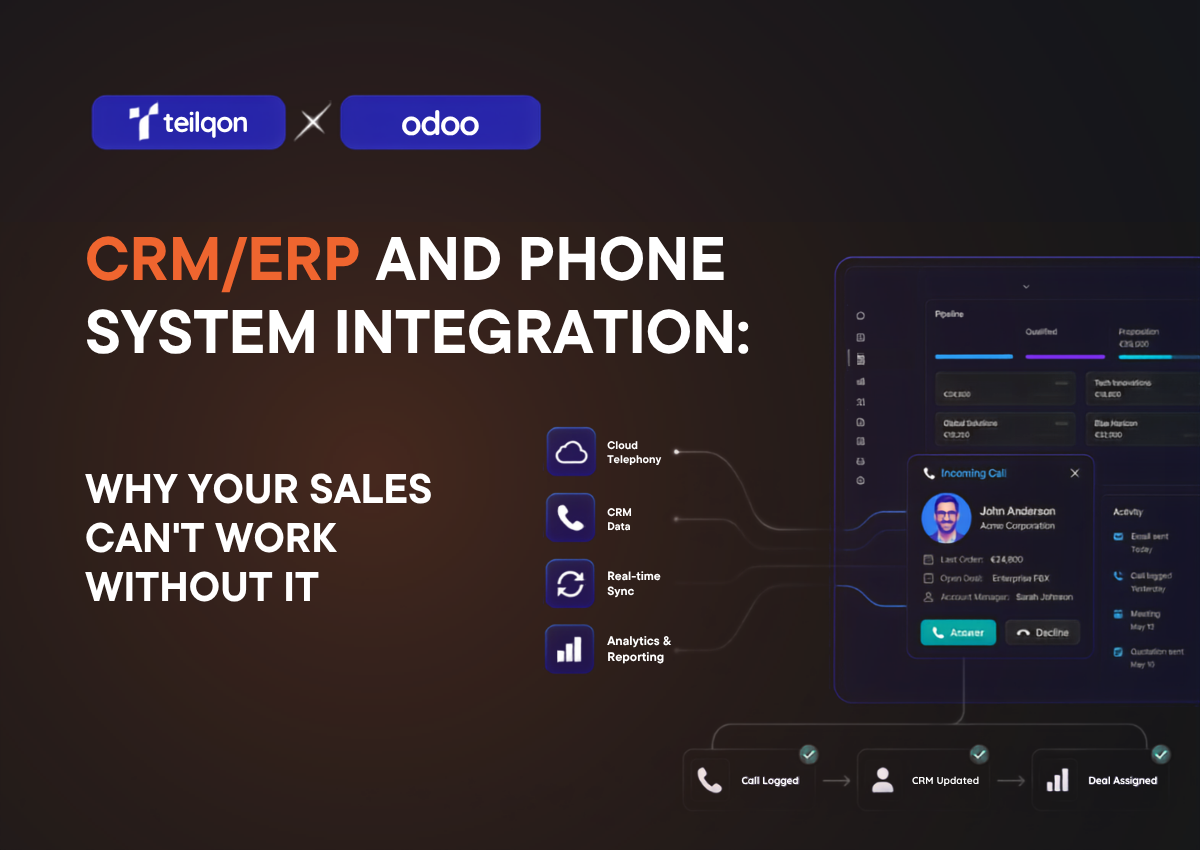
CRM/ERP and Phone System Integration: Why Your Sales Team Can’t Work Without It

Many companies store customer information in their ERP or CRM systems, while phone calls are managed through a different business communications platform.

These systems are both capable of managing customer data, yet they are separate from each other. The difficulty with managing customer information on separate platforms is that the sales team has to spend extra time looking up customer information and updating calls info and other interactions.

In practice, an ERP system may not provide customer information to a sales team member while a phone call is occurring with that customer. Less information, weaker customer interactions.

In this article, we will use Odoo ERP as an example to explain how ERP and phone system integrations work, the technologies behind them, and the benefits a business can achieve by integrating communications with its core business processes.

Why Odoo ERP and Business Communications Should Work Together

Many businesses use Odoo ERP software to manage their sales, customer records, accounting, and other business operations. Yet the sales team still utilizes phone calls to interact with customers. When these two systems are not integrated with one another, the sales team wastes time looking up information on ERP software when they could be on the phone with the customer.

ERP software holds the data about a company’s customers and its business operations. A phone system can keep a record of all phone calls with those customers. By separating these systems, the business creates inefficiencies within its operations.

For larger businesses with more customers and more interactions between customers and employees, managing this separate ERP software and phone system can be incredibly difficult.

The impact can be major:

Without Integration With Integration
Manual call logging Automatic call logging
Switching between multiple systems Unified workspace
Limited visibility into customer communications Complete interaction history
Lost or untracked leads Automatic lead creation from unknown callers
Manual contact updates Contact synchronization
Additional administrative work Streamlined workflows


For instance, an ERP software can be integrated with a company’s business phone system. This integration allows for the ERP system to automatically provide information to a sales team member while they are on the phone with a customer.

For example, an ERP system may include information on a specific customer, the sales opportunities with that individual, and the products that are in their sales process.

Additionally, the integration of a business ERP software with a cloud communication platform allows for the data about the sales team and customer interactions to be more consistent.

Managers can gain a more accurate view of sales performance and identify the individuals who are most successful at sales.

How Odoo Integration Works

Let’s have a look on a typical workflow:

Customer Call → Phone System → Odoo ERP → Contact Record → Call Activity → Sales Follow-Up

When a customer places a call to the business, the phone system that is in place with the ERP system in Odoo will communicate with that system. Through this integration, the employees within the company can view the customers that are calling and can see details regarding their contact information, sales history, and other aspects of the customer’s interaction with the business.

Below is a look at the key components of a telephone system that is integrated with Odoo.

Contact Synchronization

Accurate contact data is essential for any successful Odoo telephony integration. Contact synchronization helps ensure that customer information is consistent across both systems.

Without it, the contact information for the customers of the company is often kept in multiple places, making it difficult for the employees to ensure that the contact information for the customers within Odoo matches the information that is held within the phone system.

Incoming Call Popup

Caller ID gives employees immediate access to customer information before they answer the call.

When a call is received by the company from a customer, the Odoo ERP system will identify the customer that is placing the call and display the information for that customer upon the employees screens. Employees no longer have to ask the caller for the information that they require regarding the customer, as that information is displayed to them instantly.

The incoming call popup can show the customer’s contact details, past sales, support history, and other relevant records from the ERP system.

Automatic Call Logging

Manual call reporting can quickly become a burden for sales and support teams. Automatic call logging removes this administrative work by recording communication activities directly in Odoo.

Click-to-Call

For teams that make dozens of calls daily, a click-to-call can reduce repetitive tasks and dialing errors.

Lead Creation from Unknown Numbers

Not every caller is already saved in Odoo. When an unknown number calls your company, the system can help turn that interaction into a new sales opportunity.

An Odoo CRM integration enables the telephone system to communicate with the ERP system of the company to identify the callers that are not already represented within the system, and to automatically create a lead for that individual within the ERP system.

This allows the company to lose none of the potential leads that call their company, regardless of whether or not that individual has already registered as a customer or lead with the company.

Bringing Communication and Business Processes Together

An integrated ERP telephone system brings two of the most important aspects of the company’s operations together. By integrating the cloud communication system with the ERP system of the company, each call to or from a customer can be associated with another process within the business that is relevant to that call.

Results? Better insights into each of the customers of the company, better collaboration with their colleagues and better customer experience with the company overall.

“Companies often focus on optimizing sales pipelines, customer service processes, and operational workflows, but communication data remains isolated in separate systems. This creates gaps in visibility and increases the amount of manual work required from employees.

A properly implemented telephony integration helps bridge this gap by connecting customer conversations with business records. Instead of treating phone calls as standalone events, businesses can incorporate communication activities directly into their sales, support, and operational processes.”

Oleh Romanuk
CEO & Co-Founder, Teliqon

Business Use Cases for Odoo Phone System Integration

The benefits of Odoo phone system integration become most visible when viewed through real business processes. Below are several examples of how a communication system can support different business functions.

Sales Teams

For sales departments, speed and context are critical.

If communication systems are not connected to Odoo, sales representatives have to look up customer information, update records by hand, and write down details of each call themselves.

When a customer calls, the sales representative can quickly see all the important details and keep the conversation on track. After the call, the system links the activity to the customer record, so it is easier to follow up and plan next steps.

Customer Support

Customer support professionals must be well-informed about the products and services that their company offers.

Customers contacting support expect that the support team will have knowledge of the customer’s previous interactions with the company so that the support agent can provide assistance without requiring the customer to share the same information multiple times.

The benefits of integrating communication into customer support include:

  • Customer support issues are resolved faster
  • The amount of time that customer support representatives have to spend on each customer inquiry decreases
  • Customer satisfaction increases

Logistics and Delivery Operations

Communication with customers is an important part of the logistics and delivery industry.

Customers frequently contact logistics companies regarding the status of their shipments or delivery times. With Odoo telephony integration, logistics companies can quickly access customers and order information at the beginning of each call.

Financial Services

Financial services businesses that combine their telephony systems with Odoo can quickly access information on the customer’s past interactions.

Benefits of financial services companies integrating their telephony systems with Odoo include:

  • A better understanding of their customers and their past relationships
  • Faster access to customer financial information
  • Increased efficiency in customer service departments
  • More controlled operational system within financial service providers

Step-by-Step Odoo Phone Integration Process

While the exact implementation process may vary depending on the phone system and deployment environment, most Odoo telephony integration projects follow a similar set of steps.

Connecting Your Phone System

Connecting the telephony system within the business to the Odoo telephony integration platform is the first step in creating the automated communication system.

Configuring API Access

After the telephony system is successfully connected to the Odoo telephony integration platform, the next step is to configure the API connection between the two systems. This step allows the phone system to communicate with Odoo, making it possible for the two systems to share information.

Mapping Users and Extensions

After the telephony system is connected to the integration platform, and the API is configured to enable communication between the two systems, the next step is to map the users within the phone system to the users within the Odoo services platform.

Enabling Contact Sync

After connecting the users and phone extensions to the integration platform, the next step is to enable contact synchronization between the two systems. This step automatically syncs the contact information between the phone system and the ERP system.

Configuring Call Logging

In the next step in the process of connecting telephony systems to ERP systems, the organization will enable call logging. By enabling call logging within the system, the telephony system automatically syncs call activities to customer accounts within the ERP system.

Testing Inbound and Outbound Calls

By performing end-to-end tests of the phone and ERP system integration, businesses can verify that the system is working as intended.

Best Practices for Odoo Phone Integration Setup

Although every organization has unique requirements, several best practices apply to most deployments:

  • Clean and standardize contact data before integration.
  • Define user roles and extension assignments in advance.
  • Test synchronization using a small group of users before full deployment.
  • Establish clear procedures for maintaining customer records.
  • Periodically review integration settings and communication logs.

Following these recommendations can help businesses reduce implementation risks and maximize the value of their Odoo phone system integration.

Conclusion

A well-planned phone system integration allows teams to get a helicopter view on business processes, and spend less time on routine tasks.

Instead of manually updating customer information, searching for contact details, or switching between multiple apps, teams can work in a more efficient environment.

If your business is already using Odoo or looking for a telephony solution that supports these capabilities, Teliqon offers a ready-to-use integration that helps connect customer communications with ERP processes, providing a more unified experience for sales, support, and operational teams.

Zoho Launches an AI-Native ERP: A New Standard for Small and Mid-Sized Businesses

Zoho Corporation announced the launch of its own ERP platform with built-in artificial intelligence on January 23, 2026. The presentation took place in the Indian city of Kumbakonam. The platform is designed to unify finance, supply chain management (SCM), billing, HR, and omnichannel sales into one consolidated solution. Early feedback from industry analysts indicates strong market interest and confidence—especially in the small and mid-sized business segment, which Zoho positions as its primary audience.

For decades, the ERP market has followed the rules set by large incumbents—SAP, Oracle, Microsoft Dynamics. For large enterprises, that has been the norm. But for companies with teams of 50 to 500 employees, these platforms often meant years of implementation, unaffordable budgets, and heavy reliance on external consultants.

Zoho positions its ERP as an alternative—accessible, flexible, and ready to work with AI today. The central element of the platform is Zia AI, Zoho’s proprietary intelligence engine, responsible for demand forecasting, detecting anomalies in financial data, and automatically generating reports.

The key challenge Zoho addresses in traditional systems is data fragmentation. In many businesses, finance, warehouse operations, and HR live in separate tools that don’t “see” each other. Zoho removes these barriers—so every department can operate in a shared digital workspace where any information is updated instantly for everyone at the same time.

Promotional banner announcing the major Zoho update: transitioning from CRM to a full-scale AI-native ERP. The image features Zoho-branded cubes, an AI icon, and a list of modules: finance, warehouse, logistics, HR, billing, sales, and Zia AI for forecasting and automation.

Zoho ERP brings into a single loop:

  • Core financials (financial accounting and control)
  • SCM and operations (procurement, warehouse, logistics, manufacturing)
  • Billing / subscriptions and billing processes
  • Payroll / HR operations
  • Omnichannel commerce (orders and sales channels)
  • Spend management

How Zia works within the ERP loop

In Zoho ERP, the AI layer is built around Zia and has three practical roles:

  • Assist (explains and responds): contextual answers and content generation inside the work environment.
  • Automate (executes): agent-based automations for high-frequency operations.
  • Analyse (predicts and flags): forecasting and anomaly detection in data.

Zoho also emphasizes a privacy-first approach: data does not “leave” the Zoho ecosystem to train external models, and the infrastructure runs on the company’s own stack—from data centers to applications.

What do the first reviews say?

Zenatta Consulting published a detailed breakdown of the platform on January 27—four days after the announcement. Key conclusions: a unified interface and deep AI integration clearly differentiate Zoho ERP compared to NetSuite for small and mid-sized companies. The SCM and manufacturing modules were highlighted separately and described as “strengths” of the product.

A similar picture is emerging on Capterra: users highlight ease of configuration, workflow automation, and platform scalability. At the same time, there are cautions—the interface may feel overloaded at the start, especially for teams used to simpler tools.

Boosted CRM notes a broader industry consensus: real-time analytics improves the quality of management decisions. However, the platform’s global rollout is still limited—for companies outside priority markets, availability of certain features is still being clarified.

How this will affect business processes

If we strip away the marketing gloss, an ERP platform of this class affects a company’s operating model in several directions.

Routine automation

Typical operations—invoice reconciliation, order creation, payroll processing—traditionally require manual entry across multiple systems. A single platform with automation triggers can significantly reduce this time. Early tests referenced by reviewers report freeing up to 30–40% of working time in the relevant departments.

Data-driven decision-making

Zia AI analyzes trends in real time and flags anomalies—such as a sudden increase in cost for a specific product group or supplier delays that could halt a production cycle. For management, this means fewer surprises at quarter-end and more room for proactive control.

Zoho ERP Business Overview dashboard interface showing net profit/loss graphs, performance indicators, receivable and payable summaries for real-time business management.

Compliance without developers

Built-in regulatory compliance mechanisms are one area where traditional ERPs become extremely expensive for businesses. Zoho claims compliance rules can be configured without writing code. This is critical for SMBs, where a full in-house IT department is often not available.

What remains challenging

Migration from legacy systems is always an organizational stress test. Even a technically flexible platform requires time for team training, auditing existing data, and configuring the system to match a specific business. Early reviewers specifically point to the need for user preparation—especially for employees who have worked in older systems for a long time.

CRMiUM Commentary

We have been working with the Zoho ecosystem since 2016 and hold Premium Partner status. We have delivered more than 500 projects across 36 countries. Over the years, we’ve watched the platform evolve from a flexible CRM system into a full-scale business environment. The launch of an AI-Native ERP is the logical next step in this transformation—and a direct response to the demand we have consistently heard from clients.

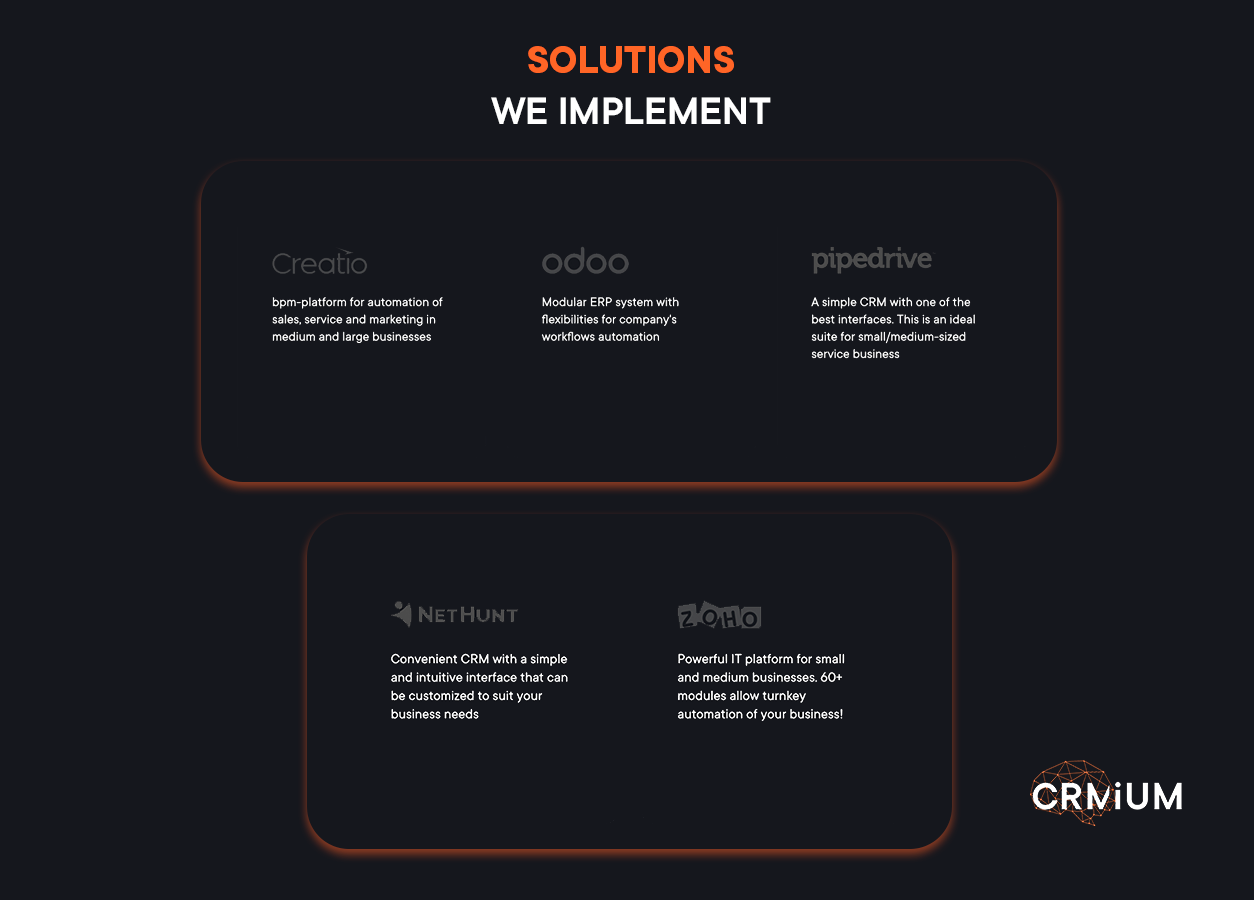
Zoho clearly positions its new platform as an alternative to heavy ERP monoliths. This solution is built for companies that have already outgrown the basic “accounting plus warehouse” setup, but are realistically not ready to pay for multi-year implementations or maintain an army of external consultants. By offering a level of automation that previously was available only to Fortune 500 players, Zoho is entering a segment traditionally dominated by Odoo and NetSuite—bringing its own AI-native alternative for SMBs.

The platform is already live in India, and the global rollout across the US, the EU, and Ukraine is planned throughout 2026 (exact dates will depend on regional compliance requirements). For European businesses, this is the perfect moment to explore the solution without rush and begin preparing for a transition into a single ecosystem—while competitors are still trying to reconcile scattered Excel spreadsheets.

At the same time, we are always transparent with clients: the success of any system implementation depends only 40% on the software itself. The remaining 60% is your preparation. Thanks to Zoho’s mature APIs and import tools, technical migration here is easier than in classic ERPs. But without a prior process audit, cleanup of historical data, and team retraining, even the most advanced AI platform can become an inefficient investment in your business growth.

Zoho ERP opens new opportunities—and our mission remains to help you turn them into results.

Digital Services Company Innovecs: How CRM Transformed Global Sales Operations

When any business starts scaling, the question of managing many processes arises. Innovecs, a global digital services company, dealt with extending its system to meet its new operational workflow. Their story illustrates how the right CRM implementation can boost employee efficiency via successful CRM work automation.

In this interview, Dmytro Baskakov, Software Development Manager at Innovecs, shared the experience of how their team transitioned from separate internal ERP systems to a fully integrated Zoho ecosystem with the support of CRMiUM, a Zoho CRM implementation partner.

From Growth to Growing Pains: When Internal Systems Hold You Back

Innovecs, a global software development company recognized among the Top 100 outsourcing providers worldwide, operates with over 850 professionals across nine international offices. Known for delivering custom software solutions and IT services globally, Innovecs exemplifies the power of CRM for IT companies.

Despite its scale and reputation, Innovecs faced a common bottleneck: an unstructured sales process managed in Google Excels, such as reporting and leads’ data. Each manager followed a different workflow, presale qualification was inconsistent, and misaligned client handoffs were frequent. Critical communications with the HR department (integral to IT service delivery) were conducted via unorganized email threads, while deal-related documents were scattered across various accounts. Sales reporting was entirely manual, delaying decision-making and hindering performance tracking.

Additionally, in 2019, Innovecs was growing rapidly, but its systems weren’t keeping up. As the software development manager Dmytro recalls:

The biggest challenge was our internal processes. As we began to grow, we needed to hire more people and provide services to more clients, which exposed some issues in our operations. At that time, we were still using a self-made ERP system that covered most of our business processes. We ran into several problems with it. That’s when we decided to stop internal development and hire professionals with professional tools

Even with an internal tech team, the company strategically brought in CRM experts rather than continue patching the legacy systems. That’s when the partnership with CRMiUM began, turning to our CRM integration services to future-proof the company.

A Mindset Shift, Not Just a System Swap

Replacing tools was only part of the equation. As Dmytro emphasized:

We realized we weren’t just changing software, we were changing how people worked. Some of our team still relied on pen and paper. Sales weren’t using the CRM properly. We needed a clean break and a professional-grade system. We wanted people to feel like this was a fresh start. So we started looking for solutions. We researched vendors, including CRM platforms and implementation partners. Even though we had an internal team — I led it myself — we didn’t want to rely solely on ourselves. That’s why we brought the CRMiUM team: to avoid reinventing the wheel.

After evaluating several vendors and platforms, the company settled on Zoho CRM and Zoho People, impressed by the flexibility and depth of the ecosystem.

Investment in the Future: Implementation of Zoho CRM Solution

To resolve the issues, Innovecs partnered with CRMiUM to implement a comprehensive Zoho-based solution. Together, we deployed Zoho CRM, Zoho Analytics, and Zoho Sign, consolidating every touchpoint, from cold outreach to invoicing, while ensuring accurate customer data within a unified platform. These CRM for IT companies initiatives continue to support Innovecs’ strategic growth.

Today, the CRM remains a central pillar of company operations. While they haven’t completely overhauled their sales funnel, its execution is now streamlined and digital-first.

«One of the biggest wins has been reporting. Our team includes a data engineer, and even he says that Zoho’s built-in reports meet most of our business needs. Salespeople can tweak reports on their own without needing a developer, showcasing the effectiveness of crm technology. The system improved the number of clients, market share, and internal workflows», Dmytro said.

The team is currently preparing new integrations with marketing platforms like Apollo and LinkedIn Sales Navigator, aiming to bridge gaps between outbound tools and CRM records through API-based development, while maximizing available resources. This effort is a direct result of CRMiUM’s ongoing digital transformation consulting.

Innovecs-company-main-hall

The Team’s Initial Reaction: «Wait—I Have to Input This Myself?»

Like any digital transformation, change didn’t come without friction:

«There was definitely resistance. People didn’t want to use a ‘system that wasn’t finished.’ They were uncomfortable with tasks like logging meetings or syncing Outlook calendars. However, the clarity of communication from CRMiUM’s side helped ease that transition. And it worked in the end. It was a real digital transformation. We didn’t change our sales funnel drastically, but changed how we execute it. The CRM brought structure, and that saved a lot of time», noted the software development manager

Despite early hurdles, the new workflows brought much-needed structure. Collaboration between departments improved dramatically, making routine processes more predictable and trackable.

The «Hall of Fame» Moment: A Project That Changed Everything

This wasn’t a copy-paste integration. It was a phased rollout handled in agile waves: first opportunities, then accounts, then integrations. The slow, steady implementation helped manage internal resistance and allowed employees to grow into the new system.

The standout integration project? — Migrating HR and sales processes into Zoho systems, leveraging effective CRM software

We standardized sales workflows by mandating specific data input at every stage, improving lead qualification and enabling high-quality, real-time analytics. This marked a significant step forward in sales process automation.

«Two internal teams worked closely with CRMiUM. I was genuinely impressed with how your teams collaborated and shared knowledge with each other. Even now, five years later, I can reflect on how that teamwork set a strong example of collaboration. Eventually, we had customer relationship management software implemented and set up», Dmytro told us.

A complex integration with Innovecs’ recruiting and HR management systems was also introduced, creating a streamlined, structured exchange of information between departments and reducing reliance on email. Deal cards were enhanced with automated document collection, forming a centralized repository for all project-related assets. Finally, custom dashboards and sales reports empowered leadership with actionable insights that sales used daily in planning meetings.

Why CRMiUM? Professionalism and Partnership

When asked what stood out most about working with CRMiUM, the answer from Dmytro came instantly:

Professionalism. Every person I worked with was serious, mature, and never overpromised. That’s a rare quality in service partners. I often use your team as an example for training our junior staff

Even with changes in CRMiUM’s internal team over the years, the client emphasized consistency in delivery and reliability. While some may question the cost of such a service, the manager sees it differently:

Yes, it’s not cheap. But this level of support and quality is absolutely worth it

What began as a fragmented sales operation has become a scalable, data-driven sales engine, proving that even top-tier companies can unlock new levels of efficiency with the proper CRM integration.

In Summary

The journey of Innovecs is a clear example of how the right technology, paired with the right partner, can drive operational efficiency and business process evolution. What started as a need to replace a broken ERP system became a company-wide reset in how work gets done, aligning with industry trends.

If we had to summarize their CRM journey in a few words, what would they be?

«Serious. And mature», emphasized Innovecs Software Development Manager

At CRMiUM, we believe every business deserves a system that fits—and a team that understands. Looking at the case of Innovecs, we assure you that if a top digital company had enhanced the workflow with the right CRM, then you would as well! We are proud to have a vast list of CRM and ERP solutions that can meet all the business needs. If you’re ready to move past spreadsheets, broken processes, or outdated tools, CRMiUM is here to drive your business to a new level.

Less Annoying CRM: Why Simplicity Wins for Small Businesses

What is the concept of Less Annoying CRM?

The concept of Less Annoying CRM is built around one clear goal: to eliminate the frustration that many users of typical CRM software experience. While some CRMs overwhelm users with complex features, hidden costs, and unintuitive interfaces, Less Annoying CRM focuses on providing a clean, straightforward, and user-friendly solution, especially for small businesses and teams without dedicated IT support.

Overview of the software

Less Annoying CRM software is a cloud-based contact management and task tracking tool designed specifically for small businesses. Unlike other systems that require extensive setup, this software works “out of the box,” with essential features such as contact management, calendar integration (including Google Calendar), task reminders, and lead tracking. It also supports custom fields, role-based permissions, and referral tracking without the need for long documentation or technical training.

The software is often praised in less annoying CRM reviews for its simplicity and transparency. It offers a single pricing plan, eliminating the need for complex contracts. The platform includes straightforward tools for campaign management, collaboration, and data access, making it especially useful for businesses that want to avoid frustrating CRM support experiences or bloated systems with unused features.

Main Mission of the Less Annoying CRM

The core mission is reflected in every feature and support interaction. Less Annoying CRM support is human-first: users can reach out without going through automated systems or ticketing delays. The company aims to eliminate common CRM pain points, including limited training options, poor onboarding, and complex documentation. The less annoying CRM offer emphasizes predictability and clarity, reducing user resistance and accelerating adoption.

The interface is intentionally minimal. It avoids unnecessary tabs or nested settings, allowing users to navigate through contacts, calendar tasks, and leads with ease. This CRM is built for users who want to get work done, not learn another software platform. With its intuitive design and straightforward workflows, it offers a practical alternative to complex software that often frustrates users.

Ultimately, Less Annoying CRM proves that simplicity, reliability, and a member-first approach can outperform overloaded systems. Meanwhile, did you know that 93% of users are likely to recommend Less Annoying CRM to others?

Key Features of Less Annoying CRM Software

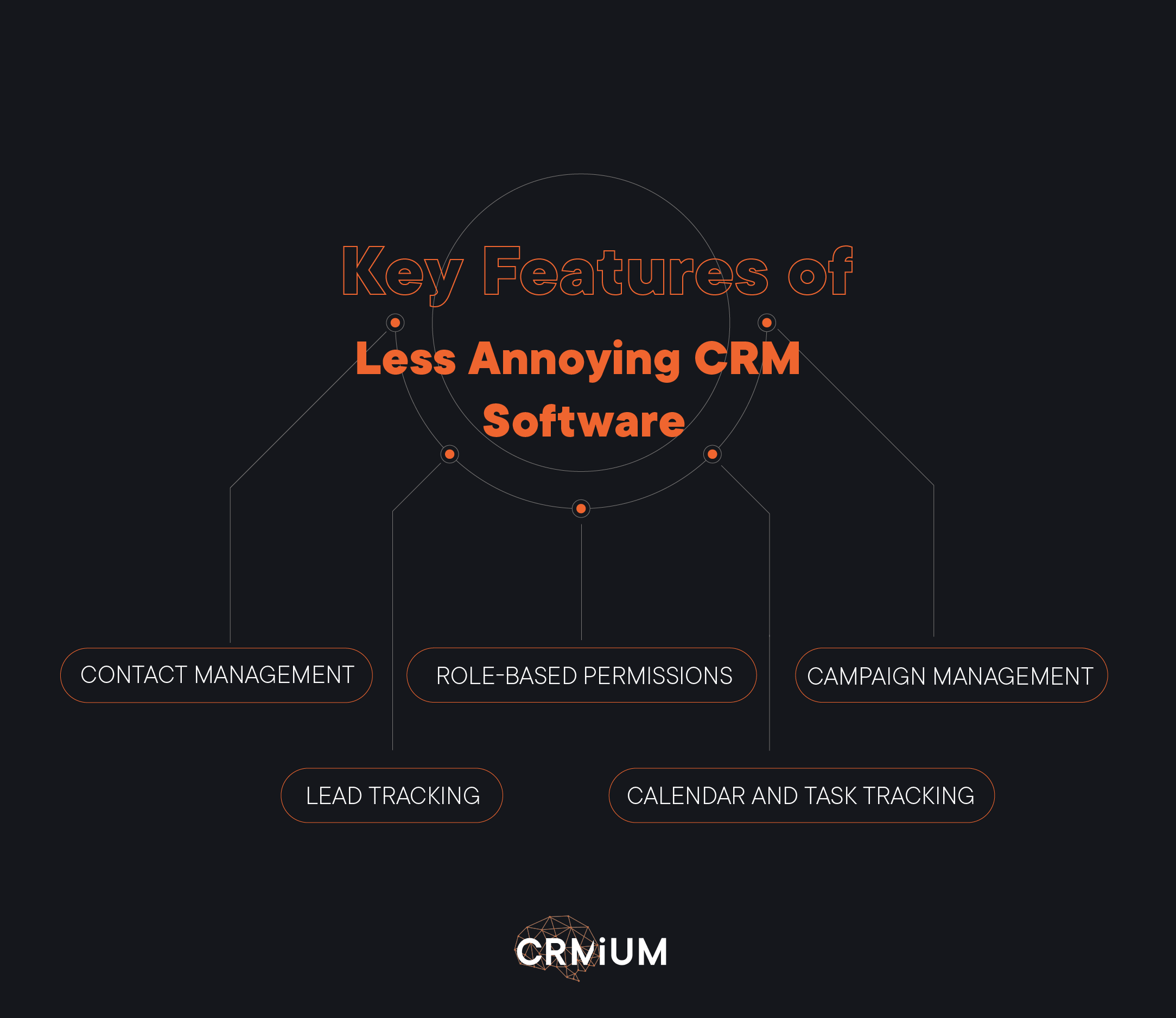
Key features of Less Annoying CRM systems

Designed with small businesses in mind, it offers a streamlined interface that eliminates the frustration often associated with more complex CRMs. Below are its core features that make it truly less annoying, while still keeping the process productive and organized.

Contact Management and Custom Fields

At the heart of Less Annoying CRM is a straightforward contact management system. It allows users to store and manage all customer and lead information in one place, with the flexibility to add custom fields for specific business needs. This level of customization ensures the CRM adapts to how small businesses work, without complex setup processes.

Calendar and Task Tracking with Google Calendar Integrations

The built-in calendar and task tracking tools are tightly integrated with Google Calendar, allowing operators to schedule meetings, remind, and manage daily activities efficiently. This feature helps businesses stay on top of client interactions and deadlines, improving time management while keeping all schedules in sync.

Campaign Management

Though it’s designed to be simple, Less Annoying CRM still includes essential marketing features. With campaign management, businesses can organize basic email or outreach campaigns. Referral tracking lets you identify where the leads and prospective customers are coming from, making it easier to measure campaign performance and grow through affiliate efforts.

Straightforward Tools for Lead Tracking

Lead tracking in this CRM is intentionally uncomplicated. Sales managers can easily follow each lead from first contact to closing, using clean interfaces and clear visual pipelines. This enables teams to pay more attention to tasks and follow up at the right moment, without having to dig through layers of unnecessary features found in more annoying CRM software.

Role-Based Permissions for Collaboration

With role-based permissions, Less Annoying CRM supports secure team collaboration. Admins can control what different members can view or edit, ensuring that sensitive data stays protected while allowing for smooth teamwork. This is especially useful for crews with multiple roles, as it improves organization and accountability.

Why Small Businesses Love It

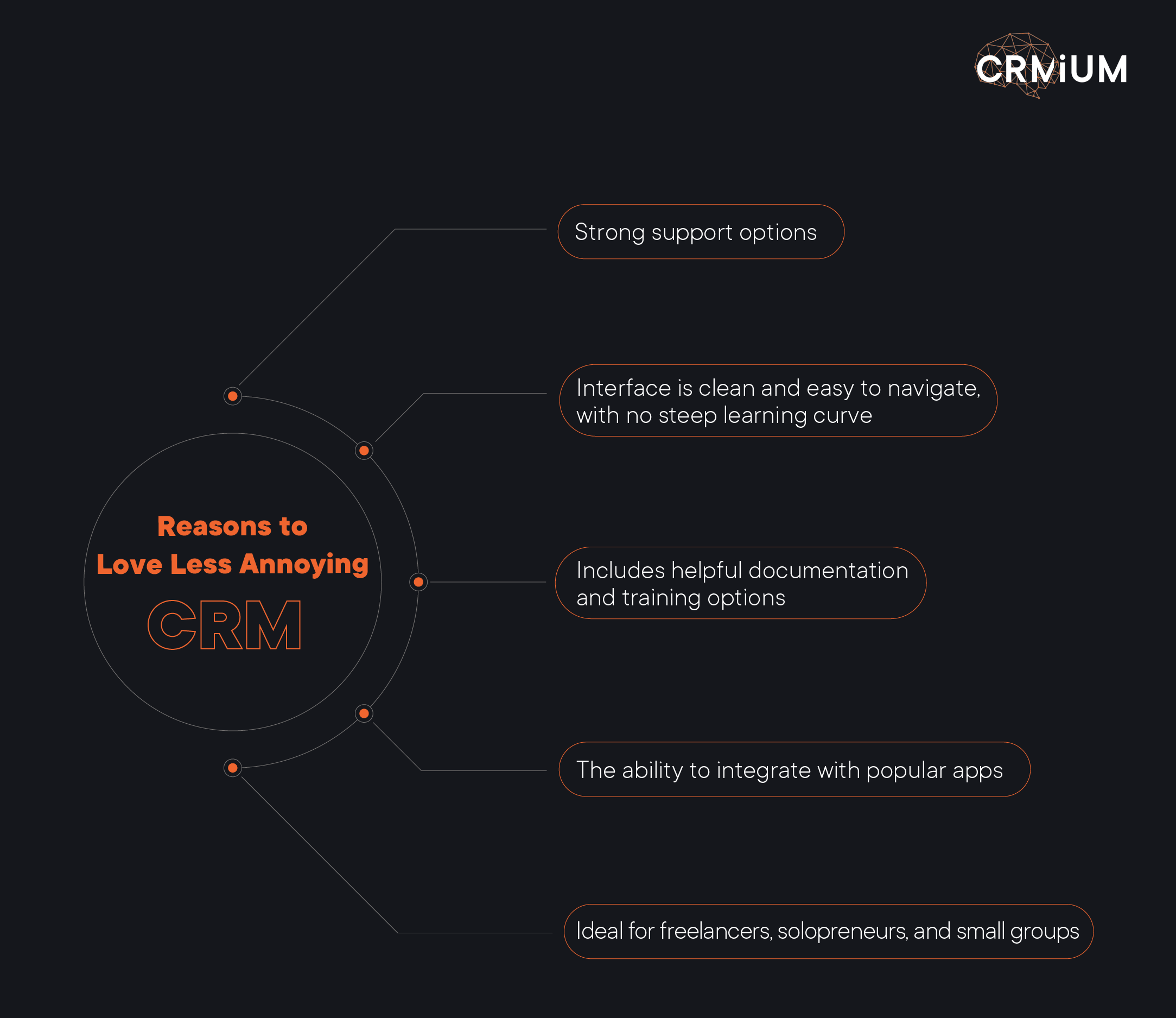
Why small businesses and freelancers like Less Annoying CRM systems

Less Annoying CRM stands out because it’s built for simplicity and clarity, making it ideal for freelancers, solopreneurs, and small teams looking for practical solutions. Its interface is clean and easy to navigate, with no steep learning curve. This approach supports productivity without overwhelming users with complexity.

The platform includes helpful documentation and straightforward training options, making onboarding fast. You can customize what matters most without having to dig through confusing menus. Key features small businesses value, like contact tracking, task reminders, and activity logging, are all streamlined and accessible.

Support is another strong point. Annoying CRM platforms leave clients waiting or confused, but Less Annoying CRM provides responsive assistance with a focus on clarity.

Customer feedback regularly highlights its no-nonsense functionality, dependable collaboration tools, and honest pricing. Add to that the ability to integrate with popular apps, use built-in API functions, and even connect via phone, and it’s easy to see why this platform earns trust. While some platforms feel overengineered or just plain annoying, this one stays true to its mission: being less annoying in every way.

Moreover, 86% of users rate the cost as favorable compared to the value, suggesting that customers feel they receive strong value for the price.


How LACRM Compares to Other CRMs

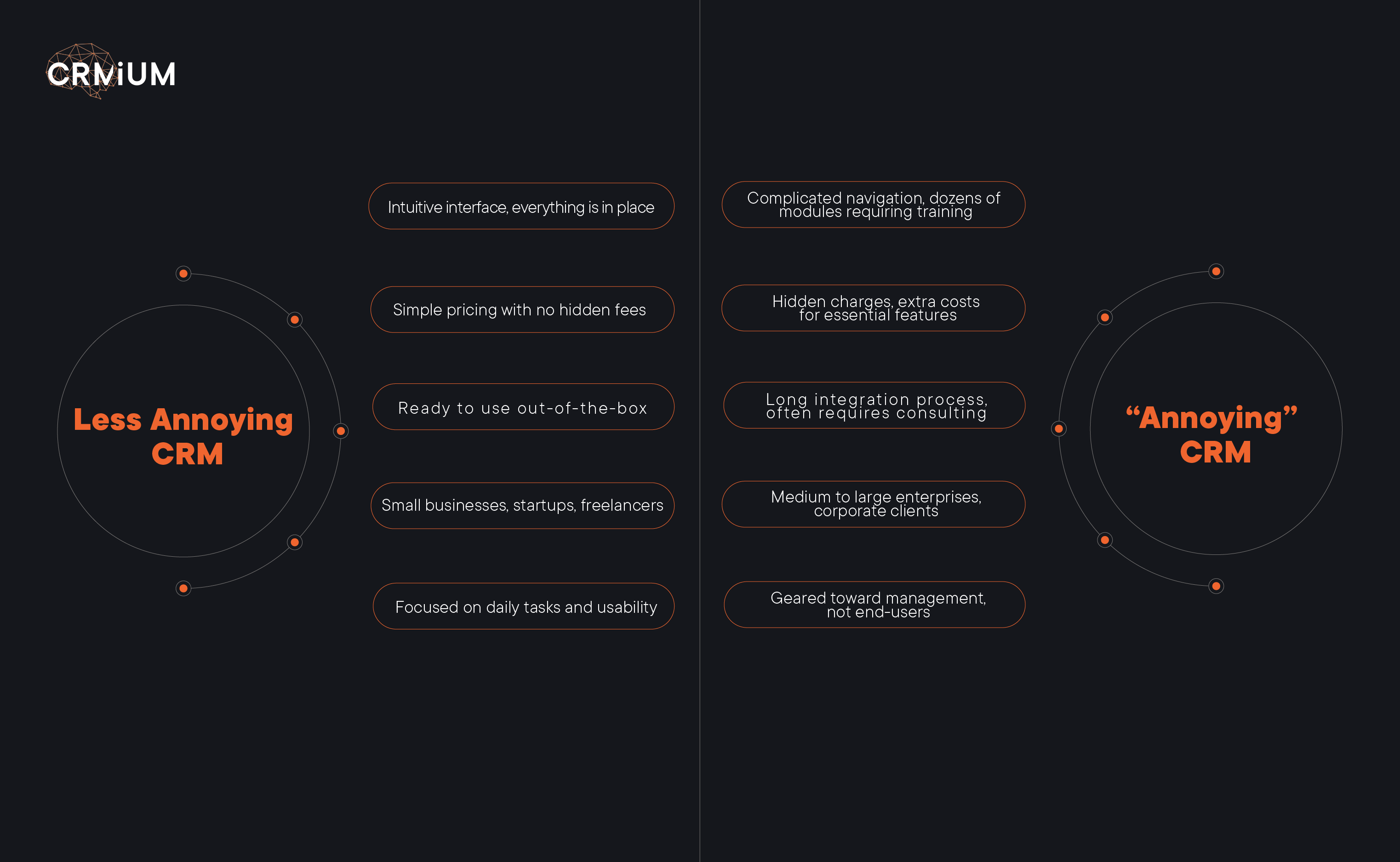
The comparison table of Less Annoying and "Annoying" CRM systems and for whom they are suitable

Less Annoying CRM offers a refreshing alternative to overly complex and costly systems. Its clean design and practical capabilities make it especially appealing to those frustrated by annoying platforms full of unnecessary features.

Instead of bloated menus, it focuses on what truly matters: efficient contact tracking, seamless lead handling, and integration with helpful apps. Unlike tools that require constant support or manual workarounds, this software simplifies daily operations — no need to verify every step or spend hours learning the basics. It’s a reliable choice for companies that value clarity over chaos, and these are not empty words: according to research by SoftwareReviews, 100% of surveyed users plan to renew their subscription to this software, indicating strong loyalty and satisfaction.

Comparing Less Annoying and “Annoying” CRMs: Where Popular Systems Stand

When choosing the right CRM, simplicity and usability often become the deciding factors for small companies. Let’s take a look at how some of the top CRM platforms, which CRMiUM implements, fit into the categories of “Less Annoying” and “Annoying” CRMs and why.

Less Annoying CRMs

These systems prioritize a clean user experience, intuitive setup, and fast adoption without heavy technical complexity:

  • Pipedrive
    Why it’s less annoying: Pipedrive is known for its simple interface. It’s designed for quick setup, visual pipeline management, and minimal configuration. Small crews and fast-growing start-ups appreciate its intuitive workflows and transparent reporting.
  • NetHunt
    Why it’s less annoying: NetHunt CRM seamlessly integrates into Gmail and Google Workspace, providing CRM features where users already work. It offers precise lead tracking and automation without overwhelming users with unnecessary layers.

“Annoying” CRMs

These platforms are powerful and flexible, but can be considered “annoying” because of their steeper learning curves, complex configurations, and heavier administrative efforts, especially for crews without dedicated IT teams:

  • Zoho
    Why it’s more annoying: Zoho CRM is incredibly feature-rich, but the sheer amount of modules, integrations, and settings can overwhelm new users. Configuration options are vast but often require technical knowledge to configure correctly.
  • Creatio
    Why it’s more annoying: Creatio offers robust low-code process automation, which is fantastic for complex needs, but it demands significant initial setup, professional customization, and regular system administration to get the most out of it.
  • Odoo
    Why it’s more annoying: As part of the larger Odoo ERP ecosystem, Odoo CRM is powerful but often “heavy” for smaller companies. While modular and customizable, it typically needs professional deployment and technical maintenance, especially when integrating multiple apps.

While “annoying” CRMs offer extensive capabilities and customization for larger or more complex firms, Less Annoying CRMs like Pipedrive and NetHunt shine when simplicity, fast onboarding, and ease of use are the top priorities.

CRMiUM helps companies choose between these options based on real needs, whether that’s rapid deployment with a lighter CRM or building a complex, scalable system with a feature-rich platform.


Who Uses Less Annoying CRM?

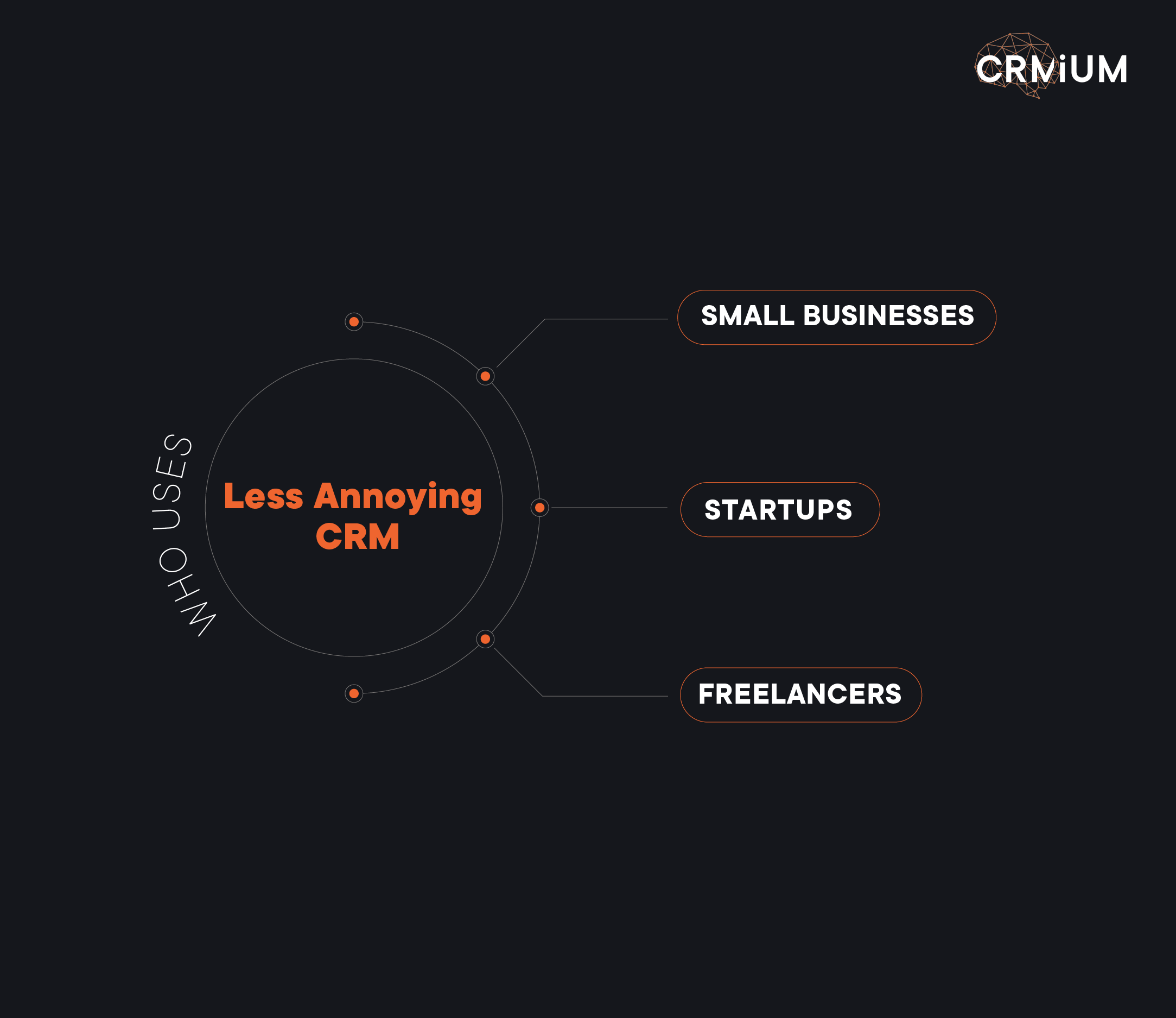
For whom Less Annoying CRMs are the most suitable and who mostly uses them

Less Annoying CRM is a wise choice for small businesses, startups, and freelancers seeking practical growth tools without the frustration of overly complex platforms. It appeals to those in need of practical collaboration tools and simplified workflows.

The platform supports integration with apps, offers API access, and includes features like reminders and alerts to streamline daily tasks. With strong customization options and no hidden obstacles, it’s a less annoying software solution built for real-world needs, perfect for anyone tired of wasting time on bloated systems.


Conclusion

Less Annoying CRM is proof that simplicity and affordability don’t mean sacrificing power. For small businesses looking to streamline their workflow without the frustration of bloated features or hidden fees, it’s an ideal solution.

Try Less Annoying CRM today, which puts user needs first, without the annoyance! Need help or a free consultation? CRMiUM experts are here for you. Get in touch!


Less Annoying CRM FAQs

What makes a CRM “less annoying”?

A less annoying CRM removes clutter, confusing menus, and hidden costs. It’s designed with only the features small companies need.

Is it suitable for small firms and freelancers?

Whether you’re a solopreneur or managing a growing client list, it’s built to simplify contact tracking, task management, and collaboration without overwhelm.

What kind of assistance can I expect?

You’ll get helpful, human assistance, no endless ticketing queues or confusing chatbots—just honest answers when you need them.

Does Less Annoying CRM offer customization options?

Yes. You can customize pipelines, tags, fields, and workflows without needing a developer or advanced setup.

Can I integrate it with other apps I already use?

Integrations with tools like calendars, email services, and other apps are supported via direct connections or API.

Is there a free trial?

Yes, most less annoying CRMs offer a free version or trial, so you can test it out before committing.

How does it compare to traditional CRMs?

Traditional CRMs are often bloated with features you’ll never use. A less annoying CRM focuses on what small businesses need most: simplicity, clarity, and value.

The Best CRM for Field Sales: How to Boost Efficiency and Close More Deals

Any salesperson would admit that the field sales process differs entirely from the inside sales process. However, both have one aim – to retain customers. While inside sales has many online tools for enhancing the sales workflow, digitizing field sales sounds impossible. But what if there is a game-changer? Meet the CRM for Field Sales – a solution facilitating field sales processes.

According to Forrester, after implementing a mobile CRM for field sales, USA Fact achieved a 90% user adoption rate and a 12% sales increase compared to the previous year. Even more impressively, it enabled two salespeople to reach the same sales target that once required seven.

Want to transform your field sales? Then, consider discovering the automation possibilities for field sales in our expert blog.


What is CRM for Field Sales?

Field sales involve in-person selling, which is crucial for industries like real estate, pharmaceuticals, construction, and insurance. A specialized CRM platform tailored for field teams supports sales representatives and managers operating outside the traditional office setting.

Unlike traditional customer management systems catering primarily to in-office teams, mobile-friendly solutions for field reps offer real-time access to customer data while on the move. This mobility ensures that regional sales teams can efficiently manage their processes, from lead tracking to deal closing, without being tied to a desk.

Key features of such mobile sales tools include route planning, scheduling, instant reporting, and integrations with other core systems. These functionalities streamline the work of salespeople in the field, enabling better customer engagement and more effective execution of sales strategies.

By leveraging a dedicated CRM tool for traveling reps, sales managers can gain valuable insights from performance analytics, oversee dispersed teams, and make data-driven decisions. Integrating such technology into off-site sales activities enhances productivity, improves coordination, and contributes to revenue growth.

How CRM for Field Sales Increases Sales

Unfortunately, many salespeople believe field sales professionals don’t need a CRM and prefer working independently. This is a delusion, and we’re here to prove why Field Sales CRM is a necessity nowadays.

In today’s competitive environment, outside sales reps must process large volumes of customer data, manage leads on the go, and maintain consistent communication with sales teams: tasks that become inefficient without a centralized tool.

A dedicated CRM for field sales reps transforms disconnected activities into a unified sales strategy. It gives field sales representatives instant access to critical client profiles, purchase histories, communication records, and upcoming opportunities. This depth of information helps sales reps personalize offers, build trust, and strengthen customer relationships — factors that directly impact conversion rates.

Moreover, a mobile-friendly CRM facilitates team coordination. When sales representatives work in different regions, a shared platform ensures seamless updates, real-time visibility of activities, and eliminates data duplication. Managers of field sales teams can track performance metrics, optimize resource allocation, and make informed decisions based on clean, structured sales data.

According to Software Advice, 82% of sales reps who used a mobile CRM solution claim that it improved their data quality and performance.

This isn’t surprising: CRM platforms reduce admin time, automate reporting, and allow field sales professionals to focus more on selling and less on logistics.

In short, CRM is no longer just a support tool, but a growth driver. When integrated properly, it empowers field sales teams to sell smarter, move faster, and close more deals.

What are the benefits of field sales automation?

The main benefits of using the CRM system for field sales

In outside sales, speed and precision often define sales success. Sales reps working in the field must juggle client meetings, navigate unpredictable schedules, and keep track of hundreds of potential customers — all while staying aligned with their team’s targets. A modern field sales engagement platform addresses these needs by giving reps the tools to access customer data on the go and streamline customer interactions.

One of the core benefits of a CRM for outside sales teams is its impact on the sales cycle length. With instant access to customer profiles, history, and preferences, reps can personalize communication, address objections quickly, and move prospects through the pipeline faster, ultimately closing deals with greater efficiency.

Moreover, CRM systems ensure a unified view of customer touchpoints by centralizing insights from both inside sales and outside sales efforts. This alignment improves lead handoff, prevents duplicated work, and creates a more consistent buyer journey.

Importantly, CRM doesn’t just help win first-time clients — it also boosts repeat business. By tracking key data and automating follow-ups, reps stay connected to clients even after a deal is closed, nurturing long-term relationships and generating ongoing revenue.

Whether you’re managing an inside sales operation or a mobile outside sales team, a CRM tailored to field workflows will enhance performance, reduce friction, and help your team focus on what really matters: building relationships and closing deals.

So, to sum it up, the main benefits of CRM systems for field sales are:

  • Team Visibility. The field sales CRM enables salespeople to view the work done by both inside and outside sales teams. It boosts the cooperation between the sales department to a new level 
  • Lead Management. Free your head from holding all the plans and data with a mobile-friendly CRM. You can have everything you need on a convenient platform with access from anywhere at any time
  • Cost Reduction. Businesses save money with an all-in-one CRM, eliminating the need for separate tools and reducing transportation and operational costs
  • Data-driven Decision Making. Instead of relying solely on gut instinct, the outside sales reps can use data provided by the field sales CRM to design better proposals and make more balanced decisions

Route Optimization for Outside Sales

Among the features of field sales CRM, one particular aspect highlights the difference from typical CRMs: route optimization. Imagine never having to prepare the best path for each customer manually. In field sales, poor scheduling can be highly annoying when, by mistake, you plan one meeting on one side of the city, the next in a completely different area, and then you have to return to where you began. The result? Wasted fuel, time, money, and fewer sales opportunities.

With field sales CRM’s route optimization, this challenge disappears. The system algorithms analyze the customer’s meeting location and offer the most efficient sales route. Additionally, it suggests the optimal meeting order depending on the time it takes to reach the destination. Hence, sales reps can spend more time closing deals and less on the road. When you use field sales CRM, there is no need to use the scheduler, map, and tracker apps separately.

Are you excited to maximize your sales efficiency? Contact us to discover how our CRM solution can revolutionize your business workflow.

A field sales CRM solution also has some exceptional benefits that can boost sales quota:

  • CRM functionality to organize customer and sales interactions in one place
  • Ensuring seamless cooperation of inside and outside sales teams
  • Provide mobile access to lead data on the go
  • Enable route optimization to reduce travel time and costs
  • Appointment management features help schedule and track meetings

As a result, customers receive better service, sales teams work more effectively, and the company benefits from increased revenue.


How to Choose the Right Field Sales CRM?
Questions to answear before choosing a CRM

Selecting the right field sales CRM can easily streamline sales operations. But with so many options available, how do you make the best choice?

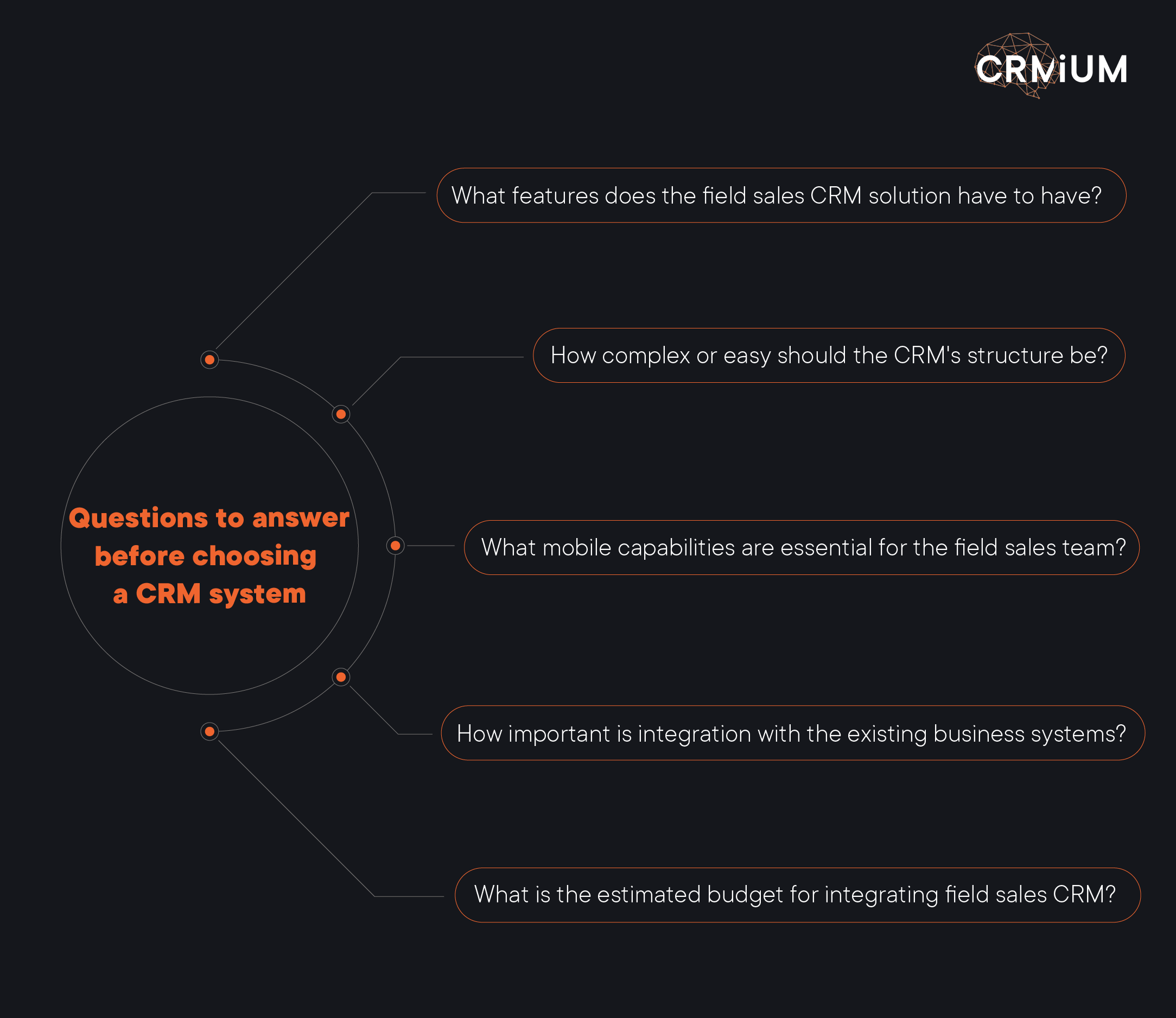
You should first assess your business capabilities by answering these questions:

  • What features does the field sales CRM solution have to have?

Start by identifying the must-have capabilities your sales team can’t live without. Key features often include:

GPS tracking & mapping – to monitor the location and movement of sales reps on the go.

Lead management – to instantly capture and organize new potential customers during visits.

Visit scheduling – with automated route planning to maximize time efficiency.

Mobile reporting – to file reports immediately after a meeting, without waiting to return to the office.

  • How complex or easy should the CRM’s structure be?

One of the most important factors when choosing a CRM for a field sales team is usability. If the system is too complex or cluttered, sales reps are less likely to use it consistently, and that means lost data, missed opportunities, and frustration. A good solution should be intuitive enough that reps can navigate the interface and access essential features quickly, even while on the move. Ideally, it should offer customizable dashboards, so your team only sees what they actually need, without unnecessary distractions.

Additionally, low-code or no-code capabilities are a major plus: they allow your business to tweak workflows or add features without needing to involve a developer every time, which saves both time and budget.

  • What mobile capabilities are essential for the field sales team?

Since your sales representatives spend more time on the road than behind a desk, having strong mobile capabilities isn’t optional, but truly essential. A mobile-first CRM ensures your team can stay productive wherever they are. It should provide seamless access to customer profiles, order history, and notes directly from a smartphone or tablet, so reps can prepare for meetings or follow up without delays. Offline access is another key feature: sales reps shouldn’t worry about losing data or stopping work when there’s no internet connection.

Interestingly, 53% of surveyed salespeople said that using mobile CRM greatly improves the quality of their CRM data. Only 18% think that mobile CRM has minimal or no impact.

On top of that, real-time push notifications help them stay on top of tasks, schedule changes, and client updates, all in the palm of their hand. The right mobile features can distinguish between a missed opportunity and a closed deal.

  • How important is integration with the existing business systems, like ERP, marketing automation, and third-party apps?

A customer relationship management system shouldn’t function as a standalone tool, as it needs to connect smoothly with the rest of your business ecosystem. Integration with ERP systems is especially important for sharing real-time order data and checking inventory levels. Likewise, linking your CRM with marketing automation platforms helps ensure that lead nurturing and campaigns stay aligned with your sales pipeline.

If your team already uses tools for delivery tracking, invoicing, or communication, the CRM should support integrations with those apps too. A well-integrated system reduces manual work, eliminates duplicate data entry, and keeps everyone on the same page: from sales reps in the field to back-office teams.

  • What is the estimated budget for integrating field sales CRM?

Although price shouldn’t be the only deciding factor, having a defined budget from the start will help you focus on the right options. It’s worth considering CRM platforms that offer flexible pricing models, such as monthly subscriptions without long-term commitments, which allow you to scale up or down as needed. Keep in mind that the initial price tag doesn’t always reflect the total cost: onboarding, system implementation, and ongoing support can significantly impact the final investment.

That’s why it’s essential to evaluate the potential return on investment: think about how the CRM will help your sales team communicate faster, reduce inefficiencies, and streamline processes across departments. A well-chosen system should not only fit your budget but also drive measurable business growth.

Once you’ve outlined your requirements, compare them to the top Field Sales CRM solutions on the market. We advise you to pay attention to criteria like scalability, real-time data access, mobile capabilities, and pricing.

Need help choosing the best Field Sales CRM? Explore expert-recommended solutions today!


Top Field Sales CRM Software

Applying our experience and expertise in creating CRM solutions, we have created a top field sales CRM software so you can compare it and make the proper choice.
Creatio CRM

The main advantages of Creatio CRM

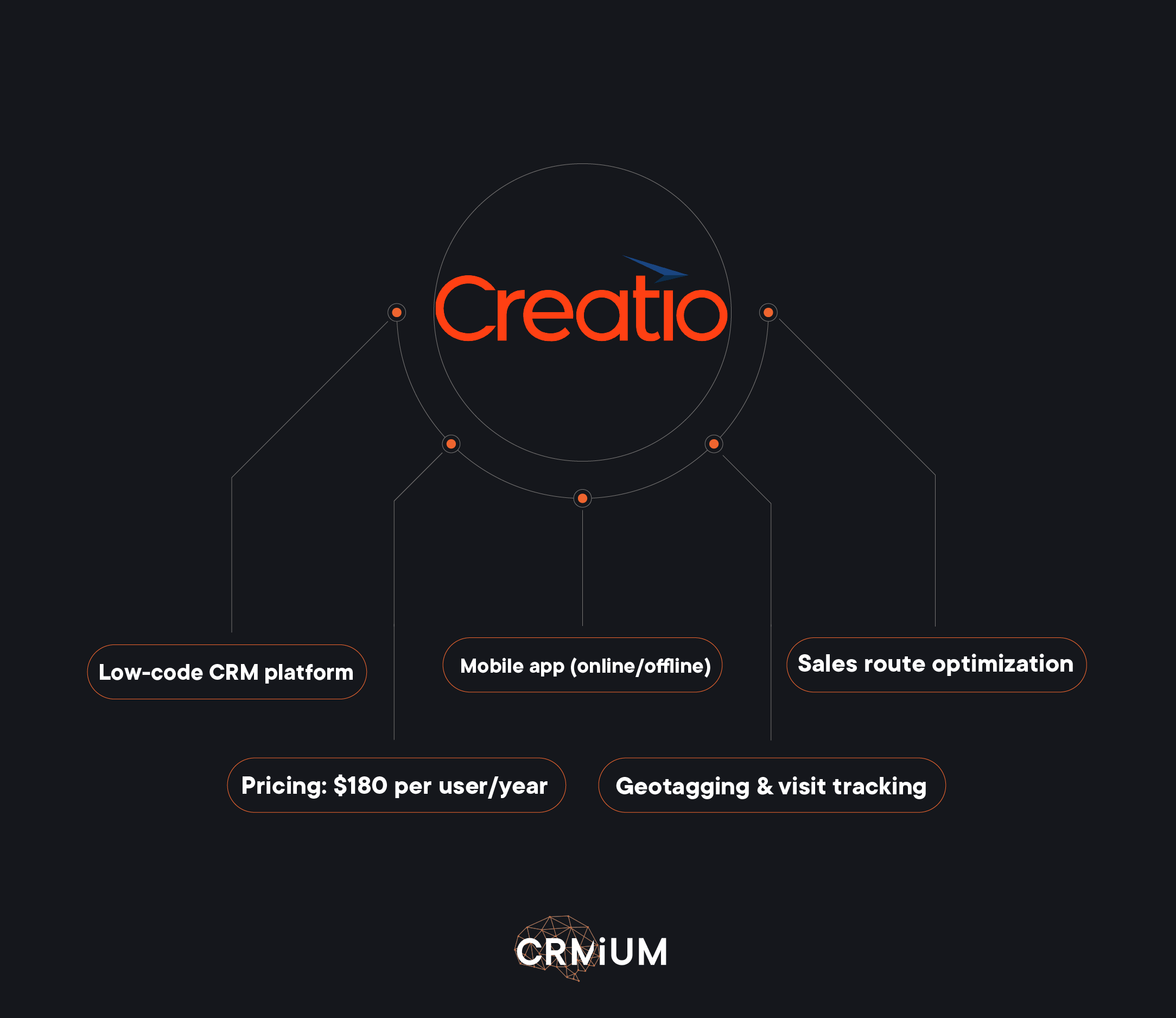
Creatio is a low-code CRM platform for sales, marketing, and service management. It offers strong workflow automation and customization, but can be complex to set up. While robust for enterprises, its out-of-the-box field sales tools could be unsuitable for small businesses.

Real-Time Data Access: Sales reps can log meeting details, monitor SKUs, and update orders instantly from a mobile device.

Mobile Capabilities: Works online and offline; enables check-ins, product selection, and order placement during visits.

Route Optimization: Plans visits, builds optimal routes on a map, and tracks reps via geotags.

Customization: Allows custom visit agendas, guidelines, and workflow automation for various customer categories.

Pricing: $180 per user/year; support available under “Basic,” “Business,” and “Premium” packages.
Zoho

The main advantages of Zoho CRM

Zoho CRM is a comprehensive CRM platform offering multichannel communication. It provides strong mobile support and customization, making it a solid choice for field sales. While feature-rich, some advanced functionalities may require additional integrations or higher-tier plans.

Route Optimization: Identifies the fastest travel routes, enabling field sales reps to meet more prospects and customers.

Performance Insights: Offers sales managers insights into field activities and performance, aiding in territory optimization

Real-Time Data Access: Provides field sales reps with instant access to customer data on the road, allowing for personalized interactions during meetings

Mobile Capabilities: Enables field reps to access CRM data from any location from their mobile devices

Pricing:​Zoho CRM offers a Free Edition for up to three users, with paid plans starting at $14 per user/month (billed annually)
Pipedrive

The main advantages of Pipedrive CRM

Pipedrive is a sales-focused CRM designed to automate workflows. It stands out for its strong pipeline management and excellent mobile device support. However, it lacks advanced customization features in more complex CRMs like Creatio.

Automate scheduling: The field sales CRM enables quick sharing with clients, setting up recurring meetings, and avoiding double-booking.

Integrations and add-ons: Supports Pipedrive integration with apps designed to empower customer relationship management, including customer support, email marketing campaigns, social media, and chatbots.

Real-Time Data Access: The platform provides instant access to customer data, enabling sales reps to plan their days, prioritize tasks, and maximize their time on the road.

Mobile Capabilities: Manage schedules, track tasks, and communicate with clients via Pipedrive’s mobile app.

Pricing: Plans start at $14 per user/month (billed annually), with tiers offering advanced features.


Best Practices for Using Field Sales CRM

Implementing a CRM system for field sales is a transformative step that can significantly improve your team’s performance and overall sales outcomes. To make the most of this solution, it’s essential to follow best practices that will ensure its effective use. Here are some key strategies to help maximize your sales efforts and drive better results:
Tips of using CRM system for Field Sales

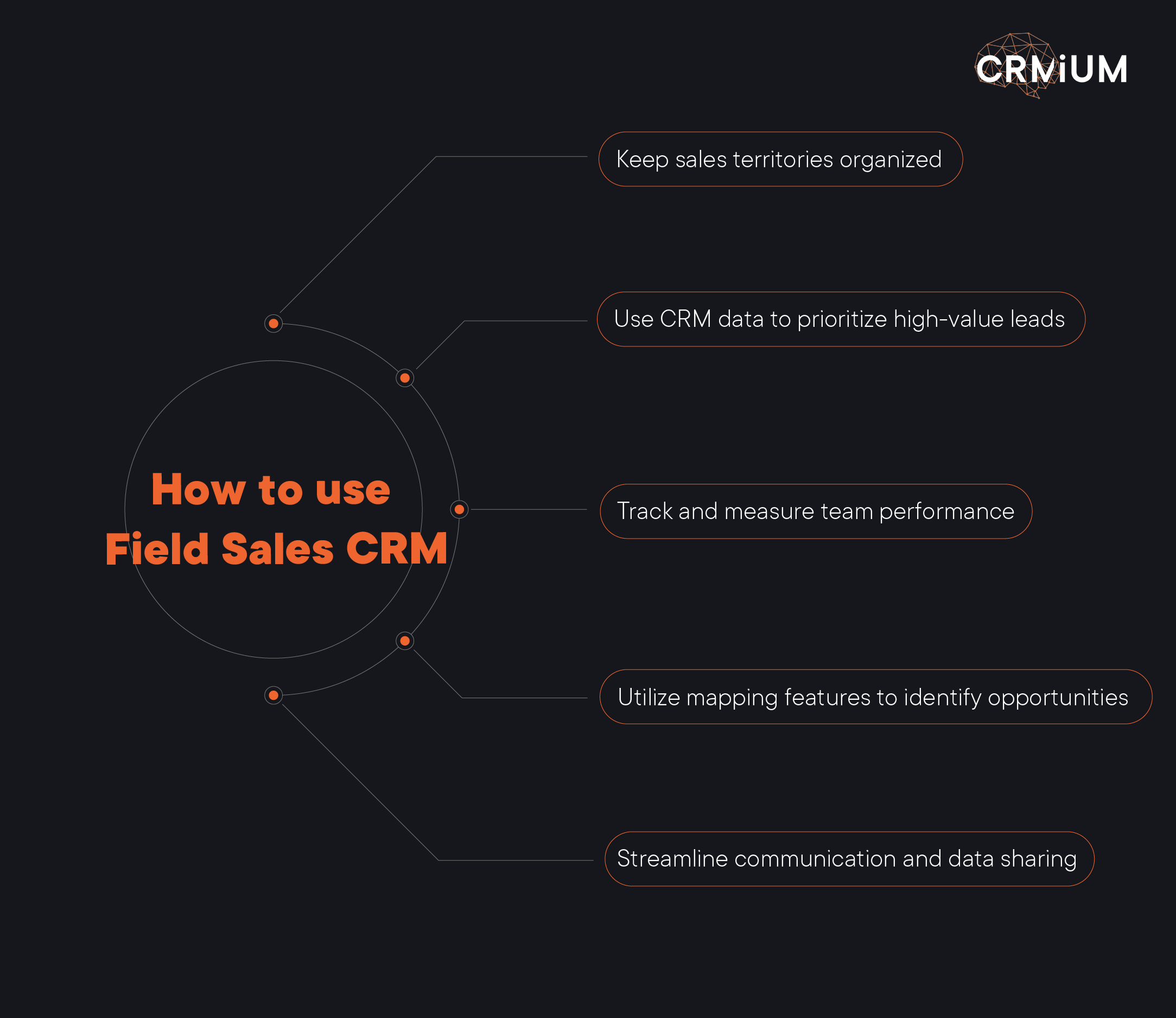
1. Keep Sales Territories Organized

One of the primary benefits of a CRM tailored for sales teams working outside of the office is the ability to effectively manage and organize sales territories. Segmenting territories based on factors such as geography, customer type, or business potential allows each sales representative to focus on a manageable set of prospects. This organization not only makes planning more efficient but also prevents overlaps and ensures that each sales rep can concentrate their efforts in the most profitable areas. A clear structure leads to better productivity and optimized sales routes.

2. Use CRM Data to Prioritize High-Value Leads

Sales success is often tied to focusing on the most promising opportunities. By leveraging data stored within the CRM, sales managers can easily identify high-value leads that are more likely to convert into profitable deals. Using the system’s data analysis tools, you can prioritize leads based on factors like their previous engagement, potential deal size, and specific needs. This enables sales teams to invest their time and effort in the opportunities with the greatest potential, boosting conversion rates and closing more deals.

3. Track and Measure Team Performance

To gauge the effectiveness of your sales strategy, it’s crucial to track team performance consistently. A robust CRM system provides sales managers with the ability to monitor the activities and progress of each sales rep. This includes tracking interactions with customers, the number of meetings scheduled, and the overall progress of deals. By setting clear key performance indicators (KPIs), you can assess whether the team is hitting targets, identify areas for improvement, and adjust strategies accordingly. Regularly measuring performance motivates the sales team and fosters a culture of accountability and continuous improvement.

4. Utilize Mapping Features to Identify Opportunities

Many CRM platforms come equipped with mapping functionalities that help visualize client locations, sales territories, and potential leads. These tools help identify areas where there are untapped prospects or where demand is higher. Sales representatives can optimize their travel routes, minimize downtime, and ensure they are meeting the right customers at the right time. By using these mapping features, the team can focus on maximizing efficiency and uncovering new opportunities that might otherwise be missed.

5. Streamline Communication and Data Sharing

In field sales, one of the common challenges is ensuring seamless communication between the sales team in the field and the rest of the organization. A CRM system centralizes all customer information, making it easily accessible for all team members. Whether it’s meeting notes, customer preferences, or the status of ongoing deals, everyone can stay up to date in real-time. This eliminates the risk of miscommunication and ensures that sales reps have all the information they need when interacting with clients. Additionally, mobile access allows field reps to stay connected and enter data while on the move.

6. Automate Routine Tasks and Follow-Ups

Repetitive tasks such as scheduling follow-up meetings or sending emails can take time away from actual selling. With a CRM solution, many of these tasks can be automated, allowing sales reps to focus more on engaging with clients. The system can automatically remind sales reps to follow up with leads, send emails, and update deal statuses, reducing the risk of oversight and ensuring that no opportunity slips through the cracks. This automation boosts efficiency and reduces the administrative burden on your team.


Effective Sales Pitch Techniques for Field Sales Representatives

In field sales, an effective sales pitch is a cornerstone of success. Field sales representatives must craft messages that speak directly to customer expectations, guided by sales data and real-time insights gathered during customer interactions. Outside sales reps who adapt their sales techniques to the context of each meeting build stronger customer relationships and improve their chances of closing deals. By positioning themselves as trusted advisors, not just sellers, they contribute to long-term customer engagement and repeat business.

Best CRM Tools for Field Sales Success

Choosing the best field sales CRM is essential for streamlining the sales process and enhancing efficiency. With the right tool, sales representatives can manage customer data, monitor team performance, and ensure no opportunities are missed. Top CRMs enable real-time insights, offering a comprehensive view of the sales pipeline and allowing sales teams to adapt quickly to changes. These tools provide valuable information on market research, prospective customers, and business development opportunities, helping sales teams stay ahead in a competitive environment.

Monitoring Sales Team Performance

For sales leaders, one of the key responsibilities is to monitor team performance. Using CRM systems, it’s easier to track individual progress, identify areas for improvement, and offer coaching where necessary. By measuring metrics such as call frequency, sales pitches, and closed deals, managers can better understand the effectiveness of sales engagement strategies and relationship-building efforts. Furthermore, sales leaders can identify patterns and optimize the sales process, ensuring that the outside sales team remains aligned with the overall business objectives.

Adapting to Longer Sales Cycles

In many industries, especially those with complex products or services, sales cycles can be long. Field sales teams need to be equipped to manage these longer sales cycles effectively. A CRM system designed for outside sales teams allows sales reps to track each interaction over time, ensuring they stay engaged and connected with prospective customers throughout the process. By maintaining personal connections and leveraging historical data, sales reps can build trust and stay top of mind, even when the decision-making process is lengthy.

Building Strong Relationships and Expanding Market Reach

At the heart of field sales lies strong customer relationship building. The ability to cultivate strong, personal relationships with clients is essential for securing repeat business and fostering long-term customer loyalty. Outside sales representatives who focus on establishing these relationships, rather than just pushing products, create value for their customers and their business. Building a network of trusted clients also helps teams gain a better understanding of industry needs and trends, positioning them for success in future opportunities.

For field sales to be successful, they need the right tools and strategies. By using advanced CRM solutions, reps can not only enhance their productivity but also adapt their approach based on real-time insights, monitor their progress, and create deeper relationships with customers. The combination of effective sales pitches and data-driven decision-making is essential for achieving sales success and driving business growth in today’s competitive marketplace.

Sales organizations must go beyond hitting quotas. They need to focus on building customer relationships that are authentic, strategic, and long-lasting. For outside sales representatives, this means mastering the balance between data-driven efficiency and personal connections. Whether dealing with prospective clients or nurturing existing customers, the ability to understand a prospect’s pain points and adapt communication accordingly is critical for standing out.

A well-developed field sales strategy supported by reliable field sales software enables sales staff to work smarter, not harder. With tools that offer real-time insights and clear visibility into field sales performance, account executives and team leaders can make informed decisions, adapt quickly to market trends, and prioritize time management. Efficient field sales management ensures that no opportunity is missed, even in longer sales cycles that demand ongoing engagement and follow-up.

While inside sales teams can rely heavily on digital communication, outside reps thrive on in-person interactions. Attending industry conferences, conducting face-to-face meetings, and gathering customer feedback all play a role in relationship-building and establishing trust. These personal relationships are often what turn initial interest into successful deals and repeat business, contributing directly to business growth and competitive advantage.

Finally, strong sales engagement tactics should align with the broader goals of business development. By leveraging CRM systems to manage leads, track interactions, and monitor performance, sales leaders ensure that every effort contributes to achieving objectives.

Understanding what motivates prospective customers and maintaining close communication throughout the journey allows outside sales teams to increase the average deal size while laying the groundwork for long-term success.


Conclusion

A well-implemented CRM system designed for sales teams in the field can significantly enhance the efficiency and effectiveness of your sales process. By keeping sales territories organized, prioritizing high-value leads, tracking performance, utilizing mapping features, and automating tasks, sales reps can focus on what truly matters: building strong relationships and closing deals.

For businesses looking to maximize the potential of their sales teams, trusted CRM integrators like CRMiUM are tailored to help field sales succeed. Explore how CRMiUM’s team can help your business team unlock its full potential today!

CRM vs ERP: key differences, benefits, and choosing the right solution

Ineffective with sales reps? Low-quality leads or a lack of them? If you’ve encountered these challenges, you’re not alone. Many companies lose potential clients due to manual data management, which often leads to errors, slow decision-making, and delayed responses to customer inquiries.

This is where CRM/ERP systems come in. They centralize all information, automate routine tasks, and create the conditions for seamless collaboration across departments. ERP solutions integrate the finance department, inventory, and internal processes, improving communication and reducing costs.

With these tools, your business operates smoothly at every stage. Keep reading to discover how implementing CRM/ERP systems can upgrade your business!


What is CRM?

Let’s start with the basics and explore what CRM is and why it matters.

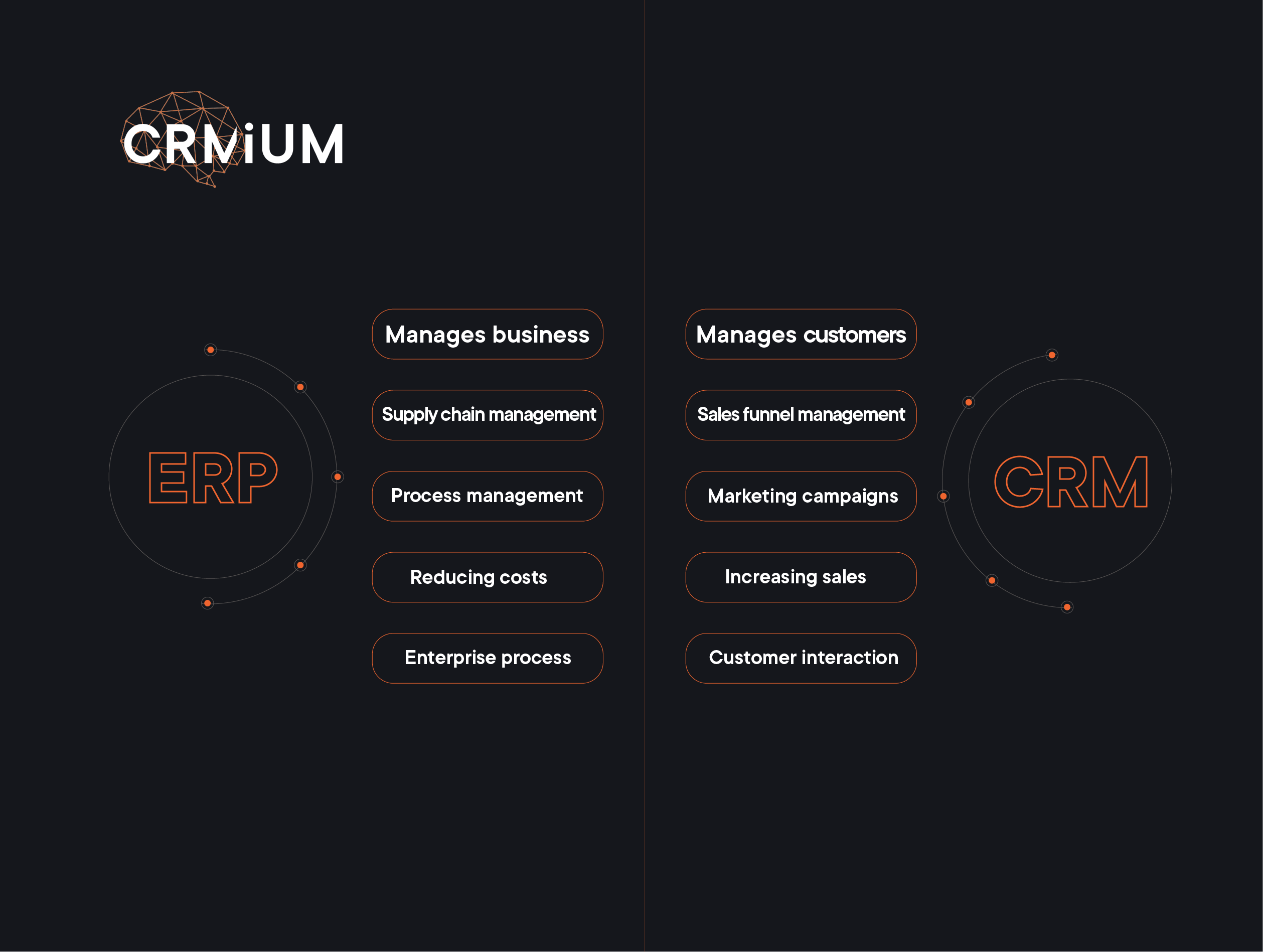
CRM or Customer Relationship Management systems are primarily designed to automate customer interaction, especially in sales. Sometimes, these solutions may also cover service processes or certain marketing functions, such as email campaigns or other outreach efforts. In other words, CRM is used to manage sales processes and follow-up transactions.

CRM is used exclusively for tracking results and is not designed for inventory, human resources, or other assets accounting. While the system can interact with such data through integrations, its core function is customer relationship management. Accounting and enterprise resource planning and management remain the responsibility of specialized systems.

A CRM system may include a payment recording function, as the outcome of a sale is the payment itself. However, CRM does not fully account for financial transactions. This means the call order management system does not track balances or expenses, leaving these functions to specialized accounting systems such as ERP.

It is important to understand that a CRM is a process-oriented system. This means it is designed to support specific processes, particularly sales, unlike ERP software, which is an accounting system.

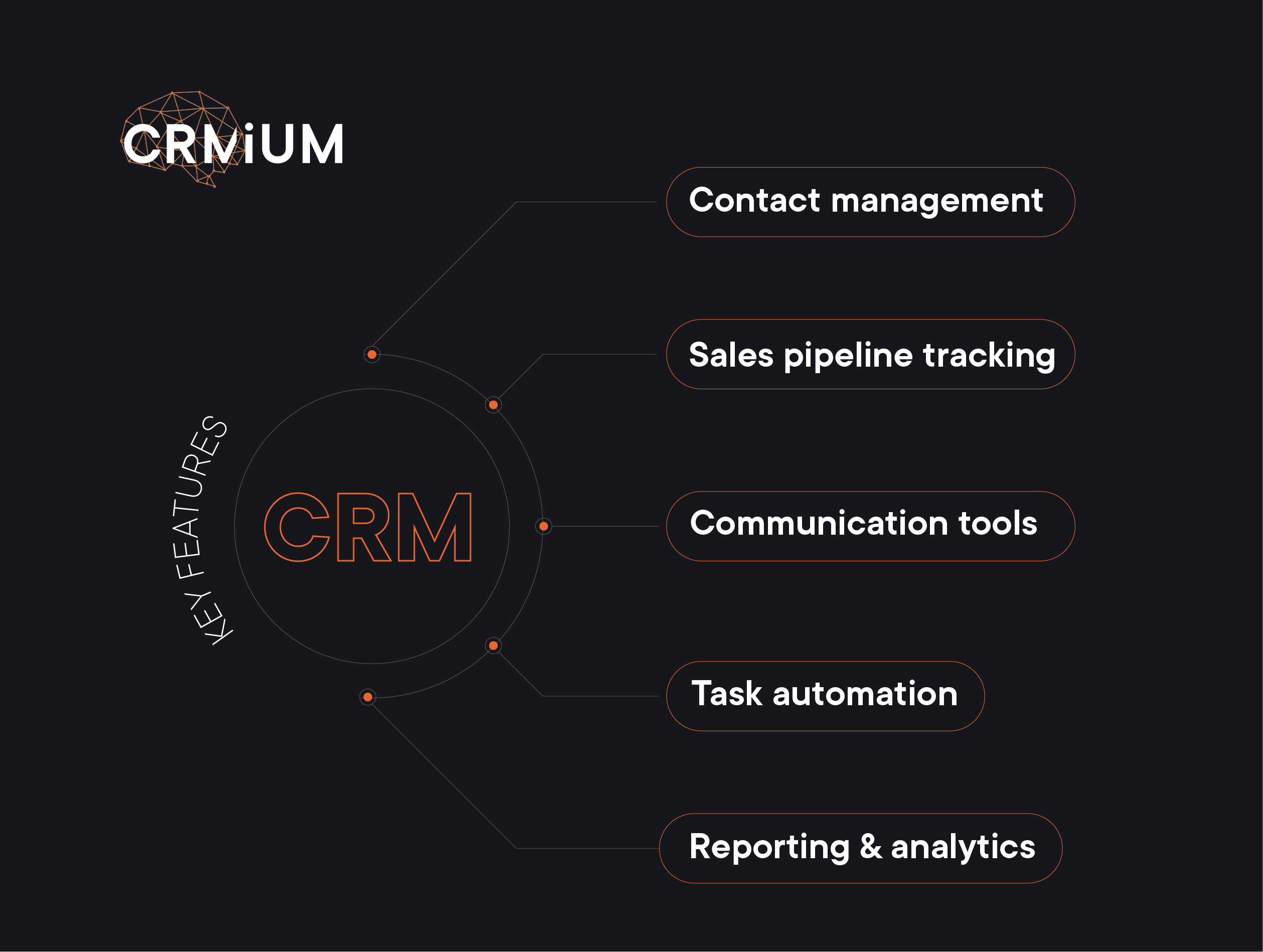
Key features of CRM:

key features of CRM systems

  • Contact management
    CRM allows you to store all customer information in one place: contacts, communication history, deals, preferences, and even manager notes. This means that every team member can access up-to-date customer data and quickly find the necessary information without the chaos of spreadsheets or handwritten notes.
  • Sales pipeline tracking
    Transparency in sales and project management is the key to success. CRM helps track every lead at all deal stages — from the first contact to contract signing. You always have a clear view of who is currently in your sales funnel, which deals need attention, and what actions can be taken to speed up the sales process.
  • Communication tools
    CRM integrates various communication channels such as email, calls, and messaging apps to ensure that no contact is lost. You can view the interaction history with each customer, send personalized messages, and even set up automated responses for quick follow-ups. Research shows that 80% of customers are more likely to purchase if they receive a customized experience, and 90% appreciate companies that take a personalized approach.
  • Task automation
    No more wasting time on routine tasks! CRM automates follow-up reminders, meeting scheduling, and even report generation. This allows managers to focus on high-priority tasks — engaging with customers and closing deals.
  • Reporting & analytics
    Make data-driven decisions with ease. CRM provides real-time dashboards and analytics, helping you see which channels generate the largest number of leads, how well your sales team is performing, and where bottlenecks exist. This helps refine strategies, optimize workflows, and increase revenue.

Benefits of CRM:

Implementing a Customer Relationship Management system can transform the way businesses manage sales, streamline operations, as well as optimize all business processes related to relationships with customers. Some more benefits of using automation? Here they are:

  1. Increase in lead generation
    Marketing automation significantly enhances the number of potential customers. It makes finding and managing leads easier, improves their quality, and moves them faster through the sales process.
  2. Improved conversion rates & personalized content
    Automation enables the creation of personalized messages for each customer based on their preferences and behavior. This significantly improves communication effectiveness, ensuring customers receive content that aligns with their interests, which increases conversion.
  3. Time and resource savings
    Automation reduces the time spent on routine tasks such as campaign planning, email distribution, and social media management. This allows marketing teams to focus on more critical business aspects, such as creativity and strategic planning. Automation is a powerful tool for improving sales performance and reducing marketing expenses. It can help businesses increase sales by 14,5% while cutting marketing costs by 12,2%, making operations more efficient and cost-effective.
  4. Enhanced analytics and reporting
    Automation offers strong analytics and reporting tools, allowing businesses to track marketing performance in real time. With data-driven insights, companies can quickly adjust their strategies for better results. According to research, 76% of companies have seen a significant boost in customer satisfaction after integrating analytics into their marketing approach.
  5. Increased revenue
    Automation helps companies achieve their goals faster and improve sales performance. Businesses can drive higher overall revenue by reducing marketing costs and increasing efficiency.

Who needs CRM?

CRM systems help different teams work smarter and improve customer relationships. Sales teams use them to track deals and monitor performance. Marketing teams create targeted campaigns and organize customer groups more effectively. Customer service teams provide personalized support and build stronger customer loyalty. Among CRM benefits, there is also better campaign tracking, helping marketers measure ROI and refine strategies. By bringing these core business functions together, a CRM makes managing customer relationships easier and more efficient.


What is ERP?

ERP stands for Enterprise Resource Planning software. Interestingly, the term does not explicitly mention accounting, yet historically, most ERP systems have been developed primarily as accounting solutions. ERP software is essential for effectively managing internal business processes and resources such as finances, raw materials, goods (in the case of manufacturing or trade), personnel, equipment, and other assets and ensuring their optimal use.

ERP software also manages core business processes, but it is not limited to accounts. Its primary focus is on managing resource flows, including procurement, storage, shipping, write-offs, time tracking, and other various resource planning-related operations.

ERP software is fundamentally an accounting system, where each resource has a quantifiable value that changes based on the documents processed within the system. This generates data that is reflected in reports. This accounting-driven nature is the key difference between CRM and ERP.

Key features of ERP:

key functions of ERP systems

  • Financial management
    Enterprise Resource Planning systems streamline financial operations by automating processes such as income tracking, expense management, budgeting, and financial reporting. ERP systems reduce manual errors and accelerate financial decision-making.
  • Inventory and supply chain management
    ERP systems give businesses real-time access to inventory levels, order tracking, customer purchase history, and supplier details. This helps companies manage stock more efficiently, cut down on waste, and strengthen relationships with suppliers. Businesses that focus on digital supply chain strategies can see a 3.2% increase in profits and a 2.3% growth in revenue each year.
  • Human resources management
    ERP systems bring together employee records, payroll, and performance data in one place. This centralization improves data accuracy and helps with better workforce planning.
  • ​​Production and operations
    ERP systems track manufacturing, quality control, and logistics. By bringing these functions together, businesses can improve performance and product quality. For example, some companies have seen a 4-10% increase in profits due to better workforce productivity and product availability. Cloud ERP systems may also be a good solution.
  • Integrated reporting
    ERP systems gather data from different departments and create clear reports, helping businesses make better decisions. This integration improves data accuracy and supports smart planning. 

Benefits of ERP:

An Enterprise Resource Planning system is like a powerful tool that connects all parts of your business in one place, making everything run smoothly. Plus, the ERP implementation helps save money, stay compliant with regulations, and make data-driven decisions. Let’s discover some more benefits of ERP systems in detail:

  1. Better productivity
    ERP systems automate and simplify many tasks that used to take a lot of time, like tracking inventory or creating reports. This means that all your departments work together smoothly without wasting time on repetitive tasks. Everything is updated automatically, saving you hours of manual work.
  2. Save money
    An ERP system helps you use resources wisely by making sure things like inventory are kept at the right levels, avoiding waste or missed opportunities. A study by Aberdeen Group found that companies using ERP systems typically cut their operational costs by 22% and administrative expenses by 20%.
  3. Stay compliant with regulations
    An ERP system helps ensure your business stays up-to-date with legal requirements. By keeping track of important records and financial data and automatically adjusting to new regulations, it reduces the risk of errors or fines in industries with strict rules.

Who needs ERP?

ERP systems are necessary for large enterprises with complex operations spanning multiple departments. They are also ideal for manufacturing companies, where coordination between production, inventory, and the supply chain is crucial. Additionally, service-based businesses can greatly benefit from an ERP implementation, by integrating financial and human resources management, streamlining their operations, and improving overall workflow.

The ERP implementation success depends on several key factors: clear objectives and scope, executive support, effective change management, active user involvement, and proper training. Data migration, system customization to meet specific business needs, and seamless integration with other systems are also critical. Additionally, choosing an experienced ERP vendor, setting realistic timelines and budgets, and continuously monitoring and improving the system post-implementation are essential for success.

In CRMiUM we have an interesting case with Ensuria, a company specializing in life and health insurance. They came to us when there was a need for a more efficient tool to manage operational processes, allowing for centralized processing of all company data. They needed a proper ERP solution!

So we chose the Odoo 13 Community Edition ERP platform, with open code, which allows for the integration of various business processes into a single system. The choice of this ERP vendor among other software vendors was driven by the need to implement an efficient solution for automating order processing and customer support. Discover details in the case study about this implementation.


CRM vs ERP: key differences

Most people believe that sales are the foundation of any business, as they drive revenue, attract customers, and fuel company growth. In this context, a CRM system plays a crucial role, enabling businesses to manage customer engagements, track deal progress, and build customer loyalty. But is accounting secondary in this process? The key answer is often obvious: ERP and CRM systems make their best in synergy.

Accounting is the backbone of a legacy system that ensures transparency and control over a business’s key resources – finances, inventory, expenses, and other assets. These are not separate worlds operating independently, but rather parts of a unified system that must work in synergy to achieve sustainable growth.

A CRM system focuses on external processes — building customer relationships, while an existing ERP system handles internal processes, structuring resources, and ensuring their optimal use. But what if we use multiple systems?

The main differences between erp and crm platforms

Which one does your business need?

When deciding between CRM and ERP systems, it’s important to consider your business needs. If your main goal is to improve customer interactions and increase sales, CRM is the way to go. It’s perfect for tracking leads, managing follow-ups, and personalizing customer communications. If your sales team relies on data to forecast trends and boost conversion rates, CRM will support these efforts.

On the other hand, if your focus is on streamlining internal processes and managing resources more efficiently, then ERP software is a better fit. ERP systems are ideal for businesses needing an integrated financial management, inventory control, and supply chain operations solution. If your business spans multiple departments, requiring seamless data integration and reporting, ERP provides the cohesion needed to keep everything running smoothly.

What if you need both?

Many modern businesses find that combining CRM and ERP systems capabilities delivers the best of both worlds and streamlines processes that are crucial for business success, especially when they operate in synergy. Integrated systems can bridge the gap between customer service interaction activities and internal processes, like financial accounting, ensuring a seamless flow of information throughout the organization.

This synergy not only enhances efficiency across business functions across the board but also enables data-driven decision-making that supports sustainable growth, improving the productivity of all departments of the entire organization.


Who can help with CRM and ERP implementation?

The answer to this question is very simple: it should be an experienced CRM and ERP systems vendor or integratior. And we hope that CRMiUM is one of such leaders, as we understand the complexities of choosing and implementing CRM, HRM and ERP systems: we have implemented over 500 projects in more than 25 countries worldwide, including Poland, USA, Israel, Romania, Great Britain, Portugal, etc. So, we’re here to make the process easier for you.

Among the most effective CRM and ERP systems are such solutions as well CRM Zoho, Creatio, Pipedrive, Nethunt, and Odoo ERP, which is an ERP vendor.

CRM, HRM, ERP solutions that the company CRMiUM implements

The team of experts specializes in configuring more than 10 CRM, ERP, and HRM systems and offers business consulting services. Our experience deploying multi-system integrations (or assisting in configuring an existing system that may be misconfigured and not used to its full potential) ensures that each solution we provide is perfectly tailored to certain business needs. We are trusted and highly praised for our approach.

But don’t just take our word for it — our clients trust us, which is reflected in the numerous reviews on trusted platforms like Clutch and GoodFirms. However, a real-world case is the best way to get proof of expertise.

One of our prominent projects was the case study of Xenoss, a leading software development company in the USA specializing in MarTech and AdTech. This case demonstrates how CRM systems can be used to optimize business processes and improve operational efficiency. Xenoss collaborates with prominent multibillion-dollar companies such as Nestlé, Adidas, Virgin, Uber, and HSBC, and continuously seeks ways to enhance its operational performance.

Our solution was the implementation of Zoho People with additional configurations that fully adapted the system to meet the company’s needs. We created various forms to track different categories of income and expenses, such as insurance, compensation requests, expenses, overtime reports, and more. This eliminated the need for external documents and systems, centralizing all processes within the CRM. Moreover, we set up a complex automation process for calculating and generating client invoices, which significantly simplifies financial operations. As a result, all critical processes were centralized in a single system, which enhanced productivity, improved data security, and reduced the occurrence of errors.

Another case is about a moving services company “Happy Home Moving”. We provided consulting and CRM software implementation to automate their platform, simplify contract signing processes, and integrate payment methods. Before working with CRMiUM, the company faced challenges in managing its workflow and business processes manually, including lead processing and contract management.

Our solution involved implementing Zoho CRM to automate and streamline the company’s processes. The CRM system efficiently manages leads from various sources, ensuring they are automatically logged into a centralized database. Agents can then process these leads according to a predefined procedure, ensuring no step is missed. The implementation also included automating the contract signing process with clients after work completion, allowing for real-time updates at each stage of the process and accurate calculations of the final cost. Furthermore, the ability to process online payments upon signing the contract and integrate customer inventory control significantly improved operational efficiency.

If you have such problems as described above, maybe it’s time for ERP and CRM systems to enter your life? Automation can boost your business productivity just like in the represented cases.

Get in touch with our expert team today for a tailored consultation and discover how to choose relevant software licenses; how to manage your business data easily; how to simplify your financial data management; how successful ERP implementation can improve productivity via coordinating the supply chain management and workflow of the entire organization; how to manage leads properly etc.

Aren’t you still curious about how automation can evolve your business and how CRM or ERP software implementation can transform all your processes?


In summary

When deciding between CRM and ERP solutions, it’s not about choosing one system over the other: it’s about understanding what your business needs most, depending on the needs and scale of your business, the focus should be on the enterprise resource planning systems or customer relationship management systems. CRM systems are essential for driving sales and enhancing customer interactions, while ERP implementation focuses on optimizing internal processes and resource management.

For many organizations, a combined approach is the best solution. At CRMiUM, our professionals work with you to find the perfect balance between these powerful tools, unlocking their full potential and providing a competitive advantage in today’s fast-paced market. With us, you’re partnering with experts who understand the intricacies of both CRM and cloud ERP systems – ensuring that your business gets the best out of both worlds.

MIS vs CRM: sales automation in the medical industry 

Preparing for sales automation in the medical sector involves specific considerations driven by the selection of CRM systems and the automation of business processes. This requires the implementation of specialized software solutions that address the unique needs of medical institutions.

Pavlo Yakovenko, an IT expert with 18 years of experience, presented an in-depth analysis and shared insights on optimizing processes in this field.

Features of CRM for the medical industry

  • Multichannel communication

Multichannel communication is becoming increasingly important in the medical industry, as this sector primarily focuses on B2C (business-to-consumer) interactions. Modern patients expect quick and high-quality support from medical institutions through various communication channels: telephone, email, web chats, and social media. Integrating these channels with a CRM system ensures prompt and efficient interaction, significantly enhancing the quality of service and customer satisfaction levels.

  • Appointment scheduling

Medical facilities require a robust appointment scheduling system that includes calendar management, appointment reminders, and service coordination functionalities. Not all CRM systems offer such capabilities, so it is crucial to choose a specialized solution that aids in effectively planning patient visits.

  • Medical information

Patient information that comes under medical confidentiality protection demands an extremely cautious approach to processing and storage. Therefore, most institutions opt for specialized Medical Information Systems (MIS) that ensure security, and confidentiality, and provide a convenient functionality for managing medical documentation. Differences between MIS and CRM:

MIS and CRM systems serve different purposes and functionalities:

  • MIS (Medical Information System) is a type of “hybrid” system that combines accounting features with elements of CRM. It facilitates the management of medical information, general patient data, and their history of interactions with healthcare facilities
  • CRM (Customer Relationship Management) is aimed at managing customer interactions and supporting sales and marketing processes. Despite their capacity for functional expansion, CRM systems may not fully replace MIS

The modern market offers a wide range of MIS solutions that provide essential functionalities for medical institutions. Here are a few examples:

Modern MIS Solutions

The choice of a system is typically determined by the needs of the institution and its technical requirements. Through in-depth analysis, both the positive and negative aspects of working with MIS have been identified, specifically:

Advantages of MIS systems:

  • Specialization in medical institutions. Medical information systems are specifically designed for use in healthcare facilities. They address the unique needs of the industry, providing effective management of medical records, appointment scheduling, and patient interactions.
  • Integration with eHealth. Many MIS are integrated with the eHealth system, allowing for more comprehensive and accurate medical record keeping, data exchange between various healthcare providers, and access to nationwide medical resources.
  • Client database and appointment functionality. MIS systems include a built-in client database that enables the storage and management of patient information.
  • Self-booking capability. Patients can book appointments independently through specialized online services integrated with the MIS.
  • Patient notifications via SMS. MIS systems can automatically notify patients about scheduled appointments, changes in schedule changes, or other important events through SMS.

Disadvantages of using MIS:

  • Lack of Essential CRM Features. While MIS systems contain some elements of CRM, they generally do not provide the full functionality required for comprehensive customer relationship management that is characteristic of specialized CRM solutions. For instance, some medical institutions require a sales funnel configuration within the system to track patient interaction history. Additionally, MIS often lacks tools for effective task management, reminders, and the ability to integrate with other services, significantly limiting their capabilities.
  • Complex Interface. Due to the overwhelming number of functions and settings, the interface can often be difficult to navigate. This may necessitate more time for staff training and negatively impact the overall productivity of the team.
  • Customization only through vendors for additional fees. MIS systems have limited capabilities for customization. They are often inflexible and challenging to integrate with other solutions, making vendor assistance often indispensable.

If your company is already using MIS and plans to implement an additional CRM system, it is essential to understand that this will require managing two separate solutions

Even with integration, both solutions may prove ineffective, as their maintenance will require significant resources and time. Instead of managing multiple systems in parallel, it would be more prudent to consider expanding the functionality of the MIS by incorporating CRM features.

Examples of the Best CRM for Healthcare Industry

The healthcare industry is in huge demand to find the best possible solution to regulate customer loyalty and customer engagement together with providing the most efficient services they have. The most important thing for all kinds of businesses involved in the industry is not just sales processes but also

  • analyzing customer data,
  • researching current and potential customers,
  • building appropriate human resources,
  • tracking customer interactions,
  • improving business relationships, etc.

Examples of the Best CRM for Healthcare Industry

CleverBox: CRM

Pros:

  • A simple solution that can be launched in 1–2 days
  • More of a CRM than an MIS
  • Communication channels, patient appointment functionality, and waitlist management
  • Availability of a simple medical card
  • Costs between $45 and $89 per month (for 1–30 specialists on duty)

Cons:

  • Customization can only be done through the vendor for an additional fee
  • No built-in video consultations
  • Lacks a client cabinet

Nethunt CRM

Pros:

  • New modules can be added
  • Simple and intuitive interface
  • Ready integration with Google
  • Best integration with Gmail
  • A Ukrainian product with local support
  • Integrations with messengers and social network

Cons:

  • The built-in analytics are somewhat limited, but it does offer ready integration with Looker Studio (Google Data Studio)
  • Cannot be integrated with any other email service besides Gmail

Pipedrive: CRM

Pros:

  • Simple and user-friendly interface
  • The system can be configured independently or with the help of an integrator for a small fee
  • Many ready integrations are available in the marketplace
  • Additional widgets can be developed, and external services integrated via API with the help of programmers

Cons:

  • Lacks integrations with local services
  • Does not support the creation of new modules
  • Built-in analytics does not provide deep analysis

Solutions suitable for medical suppliers providing goods or services to healthcare facilities

Solutions suitable for medical suppliers providing goods or services to healthcare facilities

Odoo

Pros:

  • CRM with built-in accounting (inventory, finance)
  • Marketplace with a wide range of ready-made products, many of which are free
  • Unlimited customization options
  • High performance

Cons:

  • Customization only with the involvement of expensive programmers
  • Difficult to find specialists
  • Lack of vendor support for the Open Source version

Zoho

Pros:

  • A wide range of features is available out of the box, organized into separate subsystems
  • Significant customization capabilities are comparable to the Russian Bitrix24 package
  • Quick setup and implementation
  • Native integration of Zoho applications with each other
  • Powerful API for external integrations

Cons:

  • A limited number of specialists are available for setup in our market
  • No “box” version is available; only a “cloud” version is offered
  • Vendor support is available only in English

Creatio

Pros:

  • A powerful BPM engine that allows customization of nearly any business process
  • Availability of numerous specialists for setup
  • Almost no limitations on customization options
  • Developed in Ukraine, providing local support

Cons:

  • High cost of licenses and implementation services
  • A limited number of ready-made integrations for SMB

TOP 3 useful tips for optimizing processes in medical institutions

1. Choosing a sales manager for the CRM system.

When implementing a CRM system, it is crucial for the sales manager, rather than the clinic administrator, to be responsible for its setup and usage. The sales manager has a better understanding of client needs, interaction processes, and methods to enhance conversion rates. They can leverage the CRM capabilities more effectively to attract new clients and retain existing ones.

2. Using medical information systems as a partial CRM

MIS can partially fulfill the functions of a CRM system. Therefore, before implementing a separate CRM, it is advisable to analyze which specific features are lacking. Integrating with adjacent systems or expanding the functionality of the MIS might be a more effective solution. For instance, you can add modules for managing patient and business relationships, scheduling visits, and automating marketing campaigns.

3. Continuous management of IT infrastructure

To maintain a stable and efficient IT infrastructure, ongoing maintenance and updates are essential. This includes system monitoring, bug fixing, installing updates, and ensuring data security. It is prudent to have a dedicated person or even a team responsible for the IT infrastructure. This can be either an in-house specialist or an external IT contractor, depending on the scope of tasks and the organization’s resources.

Summary:

The choice between a CRM system and a MIS goes beyond functionality. Each medical institution has unique needs and tasks that require a tailored approach. It is essential to thoroughly analyze processes, identify key growth aspects, and clearly outline the priority features to be implemented. Only then a system that fully meets the institution’s specific requirements and supports its successful development can be implemented. These solutions can transform patient interaction management, optimize operational processes, enhance staff efficiency, and ensure a high level of service.

Third-level partnership with Creatio: facts and real-life cases

We have strengthened our collaboration with Creatio, achieving the third level of partnership! To reach this milestone, we didn’t just meet KPIs – we exceeded them significantly.
This achievement means enhanced expertise, stronger positioning in the enterprise segment, new horizons in AI solutions, and increased trust from companies that know:

The CRMiUM team not only meets expectations but surpasses them!

Our partnership with Creatio marks a significant collaboration with a leading market player ranked among visionaries alongside SAP, Microsoft, and Oracle.

Our partnership with Creatio marks a significant collaboration with a leading market player ranked among visionaries alongside SAP, Microsoft, and Oracle.

«Creatio keeps pace with global trends and opens new horizons for AI-driven solutions, with demand for these applications already flowing in», says Serhiy Maruseychenko, Head of Practice Creatio

With Creatio AI, building AI-based solutions becomes accessible to everyone. The platform offers a robust suite of modern tools powered by intuitive no-code solutions:

  • Transparent management for full visibility in administering and controlling AI usage across the organization
  • Automation of routine tasks, allowing sales teams to focus on strategic goals
  • High-quality analytics via sales dashboards, lead scoring, communication template generation, and many more

Leading companies choose us for Creatio implementation

Together with Creatio, we have successfully delivered projects for Alta Retail, VIDI, Taryan Group, Alterra Group, JustSchool, Özen Finance, FloorBest, and others.

Although some cases remain confidential due to NDAs, we strive to provide examples that illustrate the practical application of these systems. Here are a few success stories:

  • Optimized and accelerated business processes to enhance the operational efficiency of the English language school «JustSchool»

Implemented an effective task distribution mechanism for 50 operators, reducing task assignment time from 20-30 seconds to just 1 second. This eliminated operator delays and boosted sales efficiency

  • Seamlessly migrated from a Russian-origin system to a Ukrainian solution for the online school «Матема» 

Fully configured client application processing workflows, migrated all data to a new environment, and ensured effective operations in the new CRM system

  • Unlocked new opportunities by integrating a customer interaction system for Georgia’s major retailer «LLC Alta Retail»

Created a consolidated client database with data updates and flexible segmentation capabilities. Enabled bulk mailings and SMS notifications with feedback and activity tracking


Visiting Creatio’s office in Kyiv

Achievements are great, but we remain inspired to plan for the future. We visited the Creatio office in Kyiv to discuss perspectives and immediate plans, exchange expertise, and align on large-scale collaborative projects. Together, we meticulously planned the next steps for productive cooperation with the corporate segment and laid out strategies for the upcoming year!

Visiting Creatio’s office in Kyiv

The outcomes of this meeting marked another milestone in building a productive and long-term partnership. We are confident that these plans will allow us to develop even more innovative solutions for our clients.

Our achievements are the result of relentless hard work and our pursuit of excellence in everything we do!

Online dry cleaning “MINK”: automating an innovative format of a traditional service

Modern businesses striving to scale and provide top-tier service cannot overlook the importance of automation. “MINK” Ukraine’s first online dry cleaning service, exemplifies how technology can transform traditional business models, making them more convenient for both customers and employees.

In this interview, Yulia Krylova, CEO of MiNK, discusses how the implementation of CRM has optimized processes, reduced the time spent on order processing and improved customer service quality. We will explore the challenges the business faced on the path to automation, how they selected the optimal solution, and the results they achieved.


 Yuliia Krylova, CEO of “MINK”

  • How did the idea of launching Ukraine’s first online dry cleaning service originate? What inspired this innovative project?

The idea of creating a new business did not emerge immediately. We are part of the large holding company, “Fozzy Group” and in all our businesses, the primary value is our “guests” (as we refer to our clients). 

Our task was to create something akin to an ecosystem that would allow our guests to meet all their needs by integrating the capabilities of Fozzy Group’s businesses.

Imagine this:

You walk into “Silpo”, and right next to it are Fozzy Group services. 

Need medicine? → Pharmacy “Bila Romashka” 

Want to exercise? → Fitness club “Apollo” 

Online orders? → Platform “MAUDAU” 

Even dry cleaning issues can be easily resolved by contacting the “MINK” service.

So, when we started studying the dry cleaning market in Ukraine, we realized it was quite a mature industry with strong players who have been operating for many years. We didn’t want to be just another, say, 15th or 16th dry cleaner. We needed to find a uniqueness and add something new to this market to become an essential part of the ecosystem for our guests. This concept became our driving force.

Currently, dry cleaning is often associated with a “last chance” for items that have lost their appearance or are in critical condition.

We wanted to change this stereotype and show that dry cleaning is a service that saves time and allows people to focus on what truly matters

For example, spending time with family, going for a walk with a child, or simply not wasting energy on washing and ironing at home. This realization was the trigger that motivated us to create something entirely new.

dry cleaning is a service that saves time

The idea of an online format emerged when we envisioned a changing market where customers would perceive dry cleaning as convenient and modern but would not want or be able to bring their items to offline locations. This inspired us to create a hassle-free service. All the customer needs to do is choose a convenient time slot for the courier to arrive. From there, we handle everything: pick-up, cleaning, and return. Minimum effort, maximum convenience.

  • What prompted the implementation of CRM? How was the workflow organized before, and what problems arose without a CRM system?

This is actually my favorite topic, I could talk about it for hours. Today, I can’t imagine how a business could function without a CRM. Honestly, it’s either an absolutely chaotic approach or simply not feasible.
I can share a bit of our story and how we got to the point we’re at now, because we didn’t immediately realize we needed all of this. To be honest, I didn’t have any experience working in dry cleaning or building an online business. My previous experience was in retail and marketing, where I dealt with digital programs. But building a business from scratch is a completely different challenge.

Everything we’ve achieved is based on our own observations, a desire to do something different, convenient for our guests, and modern. It’s been a long journey. When I joined this business in September 2021, there was practically nothing at that time. I started with the thought that we needed some sort of system. The first thing that came to mind was the need for a program that would help organize all the processes.

I started researching what software solutions were available on the market for our business. At that time, there was only one major player popular in Ukraine – a Russian-origin program that many companies were using. After the events of February 2022, our cooperation with them ended immediately, even though there were no alternatives on the market. We terminated all contracts, blocked access, and closed the issue once and for all.

Once again, we were faced with the need to find an optimal solution. Every day, I sent dozens of emails — from 25 to 30 — hoping that someone would respond. Out of that number, only about ten companies replied, suggesting we check out their websites, saying, “Everything is here, take a look for yourself”.

Among these proposals, the cloud platform “CleanCloud” turned out to be the most suitable option. This operating system, though only partially, managed to meet our basic needs. At that time, our business was still very small: the team consisted of three people, including myself, one or two couriers, and production was entirely outsourced. We worked with “CleanCloud” for over a year, maybe even a year and a half, and as long as the scale remained small, this platform was able to meet our needs.

However, as time passed, the business started to grow: the number of orders, the volume of work and customer demands increased. That’s when it became clear that “CleanCloud” no longer met our needs. The biggest problem was the inability to work with data.

“CleanCloud” didn’t allow for importing or exporting information, and data analysis was completely unavailable. This limitation became the first significant drawback

The second issue: as part of a large holding, we needed to integrate with other businesses — for example, using “Silpo” couriers, connecting a loyalty system with bonuses or adding our service to the “LOKO” app for the convenience of our customers. “CleanCloud” didn’t support these capabilities, and we were left with the question: what to do next?

We had two options: either develop our own system that could integrate and meet all our needs, or remain at a basic service level that couldn’t satisfy customer demands.

The IT department estimated the cost of developing our own system at a crazy amount — up to 10 million. That’s just to write it, not to mention maintaining it and all the other associated tasks.

So, what to do? There are no alternatives, and we can’t develop our own system. How to find a solution? I’m not from the IT business. I didn’t have a ready list of solutions. It wasn’t like I could just call and ask, “Hello, can you do this?” I simply talked to people, explained the problem, and asked how to solve it.

During one of the meetings, someone suggested two options: Zoho and Creatio. We started analyzing whether they could meet our needs, fit our budget, integrate with other businesses, and be customized to our requirements. And that’s how our journey with Zoho CRM began.

  • What led you to discover CRMiUM, and what prompted you to choose this integrator?

At that time, we were interacting with many contractors. Initially, we were introduced to a company specializing in other systems, but after a few meetings, it became clear that their solutions did not meet our needs. Eventually, they were the ones who recommended that we reach out to you.

I reached out immediately, and Head of Sales Anya Babaeva started communicating with me. We quickly found common ground; the conversation was very constructive—you know how it is when people meet who understand each other and want to help. I came with two options—Zoho and Creatio—and shared our requirements.

I received excellent support: everything was explained in a very accessible way, literally “on fingers,” as if to a child. They explained what one system could do, what the other could do, the cost of each, what was needed for their implementation and so on. As a business owner, it was quite easy for me to make a decision because everything was explained very clearly.

Usually, it’s difficult for me to communicate with IT specialists because we speak “different languages”, but here it was an ideal match: the Head of Sales explained everything in business terms, and then the Team Lead of Analysts and the team clarified the technical details

It was a super match that helped us choose Zoho, although the final decision was not made immediately—we hesitated for a long time between Zoho and Creatio. This is the most important thing, because there can be an excellent product, it can be very good. And there can be a great person selling it. But if there’s no match, if you don’t understand each other, it won’t work.

  • What attracted you to Zoho CRM, and why did you ultimately choose this system?

We talked to acquaintances as well as with your Creatio CRM and Zoho CRM teams. 

You know, it was supposed to be a “battle of equals.” Communication with the Creatio team left a positive impression: they were professional, and we quickly found common ground. They explained all the system’s features in detail, and at that moment, we had no questions.

But when we talked to the Zoho team, it was a different experience altogether. That’s when we felt that “match.” It seemed like we understood each other perfectly. People play an incredibly important role in decision-making, and I felt exceptionally comfortable with this team. It was with them that I wanted to work.

Moreover, Zoho had one more significant advantage that ultimately influenced our choice. At that time, they showed us an example of their work with a business in Slovakia, I believe it was a cleaning company. They literally demonstrated how our system could look after implementation. Since I am very visual, I need to see the final result. I can imagine something abstractly, but when they showed a real example, it was almost exactly what we needed. This was a huge advantage because I saw that the team already had experience and understood what we were aiming for.

Thus began our collaboration. Then we started working with Team Lead of Analysts Ihor Prytula, and I felt like he had worked with dry cleaners in a past life.

It seems like he knows our business even better than I and our entire team combined. Sometimes we don’t even have time to fully formulate the task because he already understands everything in advance. And again, it all comes down to comfort and mutual understanding with people.


Implementation of Zoho CRM and additional integrations

Team Lead of Analysts at CRMiUM, Ihor Prytula, shares:

Our collaboration with the company “MINK” began with an in-depth analysis of its current business processes. At that time, the company was using the cloud platform “CleanCloud”, which was partially adapted for production needs. All other processes were being carried out manually, leading to time and resource waste and overloading the team.

The processes that needed automation most urgently included registration, processing, and fulfillment of orders, financial calculations, and delivery of the completed order to the guest (client).

Two most suitable solutions were presented to the company: Creatio CRM and Zoho CRM. Ultimately, the choice was made in favor of Zoho CRM, which proved to be more functional and flexible in meeting the business needs of the online dry cleaning service. Let’s take a closer look at the key results of implementing this system:

  • A unified sales process has been developed and optimized in the CRM, providing managers with a convenient environment to handle orders and making it easier for management to track the current status of orders
  • The system has been integrated with “Wepster” — a multi-channel platform (Telegram, Viber, Facebook, Instagram), which allows centralized management of communications, automates query processing and stores the interaction history
  • Zoho Forms has been set up to collect orders at offline locations via QR codes, with the ability to select available slots and automatically confirm orders
  • An integration with the website has been implemented, automatically updating the price list in Zoho CRM when prices change on the web platform, ensuring real-time data accuracy
  • The CRM has also been integrated with the financial service Monobank and the cash transaction register software “Checkbox.” Clients can conveniently make payments for their orders through notifications at any stage of the pipeline
  • The system for automatic mailings via Telegram and Viber has been set up for marketing activities and collecting feedback

We are confident that many exciting challenges and new integrations lie ahead for us, as MINK is an ambitious company focused on scaling and continuously improving its services for guests.


MINK on the team’s reaction to the CRM and its impact on the company

  • How has the implementation of Zoho CRM impacted the company?

We have received a product that 100% meets our needs, but we understand that the path to perfection is still a long one. It may take a lot of time before we can say, “Wow, we’ve done everything perfectly!” But at this stage, we clearly know what we want. For example, we say: “Ihor, can we do this?” – “Yes, we can!” “How about this?” – “Not as quickly, but we can do it”. And that’s incredibly important.

For me, as someone who runs a business, it’s fundamentally important not to hear “no”. That word feels like a challenge to me. If something is impossible, I want to get a clear explanation why, or discuss alternatives. Ihor is the kind of person who never says “no”. Even when a suggestion seems unusual, he explains why it might be unnecessary or what better solutions are available. His honesty and ability to argue his point command respect.

This is what I call true partnership. I have the confidence that any task we set will be thoroughly analyzed, and the best solution will be proposed. This is not just a “do it as we ordered” approach, but a search for the optimal solution that brings the most benefit. And such expertise is priceless.

  • What was your team’s reaction to working with the system? How many people are currently using it?

Currently, up to 25 people are working with the system. Honestly, I understand that implementing any digital product in a company, especially if not all employees are “digital” natives, is a challenging process. It’s not like you’re given a new program and immediately celebrate: “Hooray! I finally get to use this incomprehensible thing”.

It’s often a challenge for company leaders to properly “sell” the new product so that everyone understands why it’s worth putting in the effort now, as it will make things easier later on

We didn’t have that challenge because we had outgrown the previous platform, “Clean Cloud”, to such an extent that its functionality was catastrophically insufficient. It lacked space and even basic features that could have significantly simplified our work. So everyone—from me to the couriers and the production staff—was eagerly anticipating something more convenient.

Of course, initially, it was very stressful and caused many difficulties because it was something new and unfamiliar. Especially when it involves our customers, since it’s not just about a great product that needs to be delivered, but about the service as a whole.

The entire process—from communication to delivery—always brought anxiety, because if something went wrong, our customers would feel it immediately. Everyone was afraid of pressing the wrong button, making mistakes or writing something incorrectly. But we were eagerly awaiting changes, and when the new program arrived, the integration was quite interesting. We kept the previous Clean Cloud for a while, but gradually started working with the new system.

Of course, this had its downsides: the old program contained our entire database, and here we had to start almost from scratch, building everything from the ground up. It wasn’t easy, but, Ihor, huge thanks to you for your help!

Comparing it to our previous experience, integrating the new program this time was much easier thanks to Team Lead of Analysts Ihor coming to our office and production site. He worked with each person individually, going through their role in the system, and explained everything so thoroughly that everyone understood how to use the program. It was like teaching a child to play with blocks: if you show them correctly, they’ll happily do it themselves.

Ihor visited us, walked through each person’s process, checked what was convenient and what wasn’t, and identified what needed fixing. After these sessions, our “baby” was standing on its own legs and starting to work independently. We went through this journey together, and now the system works wonderfully

Of course, there are nuances that still need refinement. We come up with new features every day, and although we initially thought we would launch the program and simply maintain it, our appetite has grown. We want more, and we understand how to make it better. You support all our wishes, so we continue to configure and improve the system.

  • What other integrations do you plan to implement in the future?

As for Zoho, I can say that it is an incredibly flexible system. Initially, I had significant doubts that such large-scale products could be customized for a specific business like a dry cleaning service. However, experience has shown that it is indeed possible.

I even wonder why there is no worthy alternative on the market. Perhaps it’s due to the specificity of the industry. But if Zoho has managed to adapt to the needs of dry cleaners, and we have found all the necessary solutions within this system, it speaks to its real flexibility.

Moreover, Zoho offers an incredible number of options, capable of meeting almost any request. We have never encountered a situation where we wanted to implement a certain idea or feature and couldn’t find a way to do it. Truly, the system offers solutions for any challenge.


In summary

As we can see, the path to automation can be complex and unpredictable, filled with challenges and experiments. Without experience in this field, finding the optimal solution becomes a trial. To save time, resources, and avoid mistakes, entrust the automation of business processes to the CRMiUM team — a multi-system integrator that has successfully implemented over 500 projects.

Remember: each business is a unique entity with its own challenges, goals, and characteristics. This is why a solution that works perfectly for some may turn out to be ineffective for others. Choose the system that best meets your specific needs.


Ask for a call


    By submitting this form, I consent to personal data processing.

    We will contact you

      Preferred way of contact: