
TOP-7 the best CRM systems for business

Today, the world’s economic situation is forcing businesses to look for new ways to scale and improve old proven methods. To attract more customers and increase profits, companies must use the best IT tools available.
We analyzed popular CRM systems, their functionality, strengths, and weaknesses. In this article, you will get acquainted with each of them and understand which CRM system is better for business.
From the article below you will learn:
- What is a CRM system and what are the benefits of implementing it
- What criteria you need to pay attention to when choosing a system for your company
- What are the best CRM systems worthy of attention:
- Zoho
- Pipedrive
- HubSpot
- NetHunt
- Creatio
- Odoo
- Firmao
Benefits of implementing CRM

There are many benefits to using CRM tools, and they all help streamline day-to-day operations, automate the work of managers, and grow your business faster.
- Improving customer relationships
The ability to share customer information with team members from a single source means you can provide a consistent positive experience for customers, no matter who they interact with in your company. This way you strengthen connections with your existing customers, develop leads – all in one place.
- Improving communication between teams
All the best business CRM systems offer project management features that help your company’s employees stay on top of specific tasks without leaving the platform. This helps to minimize errors and disruptions that often result from delays or untimely communication between teams.
- Deeper understanding of your business performance
When it comes to business development, the lack of concrete data to analyze performance often limits growth opportunities. Tools like CRM allow companies to serve more customers at a higher level by providing sales forecasts and detailed analytics.
- Centralized data storage
The presence of CRM provides small businesses with centralized storage of all customer data. Moreover, this information is stored in the system in a single format, which makes it easier to access and work with it.
- Improved customer segmentation
Thanks to the data collected in CRM about your customers, you can more effectively sort and segment your database according to various parameters. For example, in addition to basic criteria such as demographics, CRMs allow you to group customers based on important parameters such as average check size or purchase frequency.
- Saving time and money
This becomes possible due to the automation of a large number of business processes. From personal customer communications to administrative tasks and overall operations management, CRMs help companies make better use of time, resulting in increased profitability.
Of course, a lot depends on the choice of a specific CRM platform for your business.
What should you pay attention to when choosing a CRM system?

First of all, it should be noted that the concept of “the best CRM systems” is rather relative. Indeed, for each company, the choice of the optimal solution can be based on its own, different from others, criteria. And yet some systems are quite universal, in which the advantages far outweigh the possible disadvantages. Therefore, before reviewing the best CRM systems for business, it is important to understand what aspects you should pay attention to when choosing.
The main advice for those who are thinking about which CRM system to choose for business is to look for a specialized solution. By choosing a program that is designed specifically for your niche, you get a ready-made set of tools that are tailored specifically to your needs. In addition, in most cases, this choice is also more cost-effective, because you do not have to implement a large number of additional modules and functions.
Other important criteria to consider:
- Ease of use. Since working in CRM is a daily duty for managers, software that offers ease of use and information availability is ideal.
- Possibility of additional customization. Understanding that every business has its own unique needs, it’s important to choose a platform that you can customize to suit your needs.
- Automation of repetitive tasks, which allows you to save time and focus on more important and global processes.
- Availability of technical support. If you don’t have a dedicated IT department, it’s important to make sure the CRM platform you choose provides excellent customer support. A support team must be available to help you learn the product, answer questions, and resolve technical issues.
- Affordability is also an important factor. In this case, it is important to consider not only the cost of the system itself, but also the possible costs of additional configuration. If you have limited financial resources or want to test CRM, you can start with a free demo version.
But, as we said above, the ideal system does not exist. Therefore, it is important to determine for yourself which aspects are key for you, and which ones can be sacrificed in the selection process. So, for example, if we are talking about additional system customization, then even the best CRM for small businesses does not allow complex improvements – most often this possibility is limited to built-in functionality. On the other hand, if in general the chosen solution satisfies your requirements, the inability to modify the system is not critical for you in the selection.
Next, we will look at the top CRM systems that are the best in their categories.
The best CRM systems for small and medium businesses
Despite the fact that there is no single classification of CRM, when choosing, you should focus on the size of the company and the number of potential users. We have selected the best CRMs for medium-sized businesses and small companies that will help optimize workflows and become an effective tool for increasing sales.
Zoho

Any global ranking of CRM systems is complete without Zoho – one of the most popular business solutions in the world. The platform offers professional Zoho CRM solutions to manage your sales funnel and grow your company. This allows businesses of any size to customize their processes, create workflows for sales, and use powerful reports. The system also provides a complete suite of applications that integrate with the platform for marketing, customer support, HR and inventory management.
The main advantage of Zoho is its flexibility. Based on this platform, companies can automate all the necessary workflows using the system’s built-in tools or external integrations. Zoho mobile applications deserve special attention – they are easily configured and allow you to use the same system tools that you set up in the desktop version.
Zoho is not just a CRM, it is a powerful platform that allows you to automate all business processes in a company. Sales, marketing, finance, HR, internal and external communications, service – it’s hard to imagine a task that this system could not handle. At the same time, each module of the system is independent and complete – you implement only those tools that will be necessary for work.
Advantages:
- a huge number of functions immediately “out of the box”, while brought into separate subsystems
- serious customization options
- high speed of customization and implementation
- native integration of Zoho applications with each other
- powerful API for external integrations
Disadvantages:
- small number of tuning specialists
- no boxed solution, only cloud
Pipedrive

If we considered the most convenient CRM systems for business in terms of ease of use and ease of use, Pipedrive would definitely take the lead. This is a system with an intuitive interface that does not require much effort to set up and lengthy training.
Pipedrive is primarily designed to manage the sales process and contacts, the system helps customers move through the sales funnel and successfully close deals.
It provides convenient tools for collecting leads, managing contacts, and tracking deals. Such a system allows you to prioritize sales activities, synchronize information, and consolidate the workflow in one place. This reduces the time spent on administrative tasks and allows you to focus on building relationships and streamlining the sales process.
Pipedrive allows you to create multiple sales funnels with customizable stages that match a specific product or service. Automatic reminders, notifications, and follow-up alerts help keep you on track, while the Android and iOS app gives you more options. Email integration ensures full synchronization, allowing you to view messages from any email service you use right in the application.
Pipedrive is a great solution for small businesses that need a simple, clean, and reliable system with all the essential CRM features.
Advantages:
- the ability to configure the system yourself or inexpensively with the involvement of an integrator
- simple and intuitive interface
- a large number of ready-made integrations in the marketplace
- with the involvement of programmers, you can add widgets and external API services
Disadvantages:
- the system is only suitable for sales automation
- does not support creating new modules
- weak analytics and automation capabilities
HubSpot

With the implementation of HubSpot, you will be able to effectively search and track leads, monitor the sales process, and distribute customer interactions across channels. The system has full-fledged inbound marketing tools, does a good job of managing workflows, and additional integrations make it easy to share information between applications (Google Sheets, Slack, Facebook Lead Ads, etc.) and optimize tasks.
Users can easily connect third-party tools to synchronize customer data and automate business processes to improve work efficiency. HubSpot’s CRM system helps you track sales funnel metrics, activity information, performance and efficiency across your entire business.
The implementation of HubSpot also helps businesses centralize lead information in one place. Every interaction with a lead, regardless of the platform the conversation took place on, is saved in a clear timeline, so you’ll always know exactly where the conversation left off when you or any other team member picks it up the next time. By syncing with Gmail, Outlook, and social media platforms, HubSpot captures virtually every customer interaction and makes it easy to track and use.
HubSpot consists of different modules that can be implemented individually or used together to create a complete ecosystem.
System Capabilities:
- Marketing Hub brings together all the tools and data for marketing in one platform.
- Service Hub helps to establish and maintain relationships and communication with customers.
- Sales Hub helps you gain deeper insights into leads, automate tasks, and close deals faster.
- CSM Hub allows you to create and manage content on web pages.
- Operations Hub keeps your apps in sync and automates processes so all systems and teams work together efficiently.
Advantages:
- very cool interface
- marketing, sales CMS, and service system in one CRM
- powerful marketing automation
- easy setup, a very large amount of materials for learning and community
Disadvantages:
- high cost of a license
- a small number of qualified specialists in setting up the system
NetHunt CRM

NetHunt is at the top of many CRM system rankings, particularly for B2B companies. This is not surprising – the system is easy to set up and easy to use, while, unlike other simpler CRMs, it allows you to create additional modules and build a customized structure.
NetHunt offers extensive internal automation capabilities that allow you to integrate websites and landing pages directly into the system without the need to involve developers. Unlike most CRMs, with NetHunt you get data directly into the system, allowing you to work efficiently with each lead using built-in automation. Thus, you avoid using intermediate services and save on additional costs.
Another advantage of NetHunt is the ability to integrate with Google services. Among them is integration with Google Data Studio, which allows you to build professional analytical reports, not limited to CRM functionality. And thanks to integration with Gmail, users can track and work with each contact, send emails, and build a sales funnel – all without leaving the mail.
Advantages:
- the ability to add new modules
- simple and intuitive interface
- out-of-the-box integration with Google
- best integration with gmail
Disadvantages:
- weak built-in analytics
- inability to integrate with any other mail except Gmail
Firmao CRM
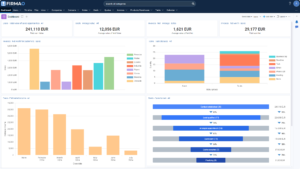
For over 13 years, Firmao СRM has been sold in Poland and internationally, earning the trust of tens of thousands of satisfied users. This Polish cloud software for CRM/WMS automation is a comprehensive universal tool designed to manage all company departments, from marketing to sales, post-sales, and service. Thanks to its modular structure, it offers a unique ability to quickly and easily adapt to the specific needs of any company.
When software operates in the cloud, it can be used from any device with internet access. This allows company employees to access their data and applications from anywhere, at any time. Moreover, the cloud-based nature of Firmao CRM eliminates the need for expensive equipment investments, all you need is a browser for effective and secure business management.
Firmao CRM is also accessible on mobile devices. The Firmao app offers sales opportunity creation and tracking, contact and company management, task monitoring, and push notifications. With just one click, you can call, send an email, or text to a client.
Pros:
- Integration with over 1,000 external IT systems
- Option to store data on your server (on-premise)
- Easy configuration and system adaptation to specific needs
- Thirteen language versions
- Warehouse Management (WMS)
Cons:
- Many features are available, so the program may initially seem complex to use
- No free license
The best CRM systems for large businesses
As we said above, the choice of a suitable system will depend on the size of the business. Simple systems, which will be an excellent choice for small and medium businesses, will not be able to satisfy all the needs of large companies. Therefore, if, in addition to sales, you need to automate other processes in the company, and the number of sales managers in the company is more than 10 people, you should pay attention to more complex systems.
Next, let’s take a closer look at the best CRM for large businesses.
Creatio

Creatio is the most flexible CRM platform specifically designed for medium and large companies to accelerate sales, marketing, service and operations. Built on an intelligent BPM platform, this CRM offers its users out-of-the-box tools to manage the entire customer journey, from first contact to service. In addition, the system provides an ecosystem of ready-made processes, templates and applications within Marketplace Creatio, which allows users to increase productivity and use advanced features. All products in CRM can be used as separate solutions or in combination.
Sales Creatio provides a wide range of powerful tools to optimize sales processes and increase conversions. You will be able to store the history of communications with customers, segment them and create effective sales funnels based on this data.
Marketing Creatio offers an impressive selection of out-of-the-box marketing management solutions. With this tool, you can customize the interaction with each client and create relevant advertising campaigns for different audience segments.
Service Creatio will help you efficiently manage and automate customer service, as well as optimize internal service processes. All this will ensure continuous interaction with customers through various communication channels in one environment.
Creatio is an excellent solution for companies that need not only to systematize individual tasks, but also to bring business processes as a whole to a new level.
Advantages:
- powerful BPM engine that allows you to build almost any process
- a large number of tuning specialists
- almost no customization restrictions
Disadvantages:
- relatively high costs for contractors
- a small number of ready-made integrations
Odoo

Odoo offers versatile Odoo CRM solutions and open-source ERP tools that provide companies with the technology they need to run efficiently and automate their processes.
This ERP platform prides itself on being user-friendly first and foremost, while still meeting the complex needs of the largest enterprise customers. With tens of thousands of apps available, there are tools for every team, from increasing sales to project and inventory management.
Odoo provides end-to-end customization for the end user without major recoding or changes to its underlying structure. With the advanced applications of the system, users can easily make changes to its architecture without any additional effort.
Since Odoo is an open source ERP system, you can quickly implement it into your work environment. The best thing about this CRM is that it doesn’t have a fixed price – you only pay for the tools you use. For example, if you need a system for e-commerce, you only need to buy the necessary modules. In addition, the Odoo Community version can be downloaded and installed completely free of charge. But of course it is worthwhile to understand that in this case the possibilities will be limited.
Odoo’s modular structure makes it ideal for any dynamic business. As your company grows and your needs increase, you can continue to add the necessary tools, adapting the system to your needs.
Advantages:
- zero price of the system itself (Open Source)
- a huge marketplace of ready-made solutions, including many free ones
- almost unlimited customization options
Disadvantages:
- improvements are possible only with the involvement of expensive programmers
- very difficult to find experts
- lack of vendor support for the Open Source version
Сonclusion
According to the most conservative estimates, the number of CRMs in the world reaches several hundred, each with its own advantages and unique features. Of course, choosing the best option from existing solutions without having enough information for comparison and analysis is a rather difficult task. Much of the deciding criteria will depend on your specific needs and the other types of software you currently use. For this article, we have selected popular CRM systems for business and reviewed them in terms of capabilities and functionality.
CRM systems not only allow companies to store and manage all of their customer data in one place, but many platforms also provide additional capabilities such as collaborative project management and advanced marketing automation. Therefore, of course, the CRM implementation contributes to the growth and success of the business. The main thing is to approach the selection of the system deliberately, analyzing not only current business processes, but also taking into account the prospects for the company’s development in the future.
We are sure that such a detailed review of the best CRM systems will help you better understand the features of each of them and make the right choice.
Implementation of the best CRM systems for your business from СRMiUM
Once you have chosen a CRM system for your business, you need to find a reliable contractor for implementation. In this case, the best option is to contact a professional integrator. CRMiUM has been implementing the best CRM/ERP/HRM solutions for business for more than 7 years and knows how to complete the process of integrating and setting up the system in a short time without losing results.
If you are still at a loss with the choice of CRM, we will help you make the right decision. Our approach is based on thorough market research and precise selection of the most suitable systems for each business. We select an experienced team of specialists for you, as well as conduct audits and develop fully built systems that guarantee maximum results.
Together with CRMiUM you get not only CRM integration, but also a reliable partner interested in growing your business.
Got Questions? We’ve Got Answers
How do I know which CRM is best for my small business?
The best CRM for a small business depends on your primary goal. If you need simplicity and visual sales tracking, Pipedrive is ideal. If you want a system that scales and integrates everything from HR to finance, Zoho is a powerful choice. For teams that live in their inbox, NetHunt (Gmail-based) is the most natural fit.
Is there a free CRM system worthy of attention?
Yes. HubSpot offers a robust free version that is excellent for startups. Zoho CRM also has a Free Edition for up to three users. However, keep in mind that free versions usually have limited automation and analytics, which are crucial as your business grows.
What is the main difference between CRM for small business and Enterprise solutions?
SMB CRMs (like Pipedrive) focus on ease of use, fast setup, and basic sales funnels. Enterprise systems (like Creatio or Odoo) are designed for complex hierarchies, deep process automation (BPM), and multi-departmental integration, often requiring a professional integrator for setup.
Why is Zoho CRM so popular globally?
Zoho’s popularity stems from its massive ecosystem. It’s not just a CRM; it’s a suite of 45+ integrated apps. This allows businesses to automate their entire workflow (Sales, Marketing, HR, Finance) within one secure cloud environment with a very competitive pricing model.
Can I integrate my CRM with Google Workspace and Gmail?
Absolutely. Most modern CRMs support Google integration, but NetHunt CRM is the leader in this category as it literally turns your Gmail interface into a CRM. Pipedrive and HubSpot also offer excellent two-way sync with Google Calendar and Mail.
What are the hidden costs of CRM implementation?
The license price is just the beginning. Hidden costs often include data migration from old spreadsheets, training your staff, setting up complex integrations via API, and ongoing technical support. Working with an integrator like CRMiUM helps you forecast these costs accurately.


